
Are you still using the traditional way of taking orders? If yes, then you need to hear this. The global online food delivery market is projected to grow from USD 0.68 trillion in 2024 to USD 1.37 trillion by 2029 at a compound annual growth rate (CAGR) of 15.01%. That means only those businesses that invest in their online ordering system over the regular restaurants will survive.
Now we understand that you might not be a techie who has knowledge of every platform. But don’t worry, in this blog, we are going to learn how you can create an online ordering system for restaurant growth. Let’s dive in.
Why Restaurants Need an Online Ordering System?

When a restaurant starts using an online ordering system, things slowly feel lighter. Orders move faster, mistakes drop, and customers feel more in control. This small change often becomes the push many restaurants need to run each day smoothly.
-
Faster Order Flow
When your restaurant starts using an online ordering system, the entire order process moves quickly than before. Customers do not need to wait for calls or repeat their choices. Your team receives clean details without confusion, which reduces mistakes during rush time. This simple setup also gives your staff more time to focus on food quality instead of long conversations. Over time, this smoother flow builds trust and keeps people coming back.
-
Better Customer Experience
Customers enjoy ordering calmly and simply, and an online ordering system gives them exactly that. They can choose dishes, customize items, change quantities, and pay without pressure. This comfort helps them feel more connected to your place. When customers get updates on their order and clear timings, they trust your service more. This steady trust slowly turns them into repeat guests who enjoy ordering from your restaurant again.
-
Clear Sales Insights
One of the best parts of an online ordering system is the clear data it gives you. You can see which dishes get the most love, which offers actually work, and what time your rush usually starts. With this knowledge, you can plan your stock better and avoid wasted food. It also helps you adjust your menu so customers find what they enjoy most. These small changes bring steady improvements to your business.
-
Reduced Staff Pressure
When orders come through an online ordering system, your staff deals with far less stress during peak hours. They don’t have to handle constant calls or handwritten notes that sometimes lead to mistakes. Instead, they follow clear digital orders that help them move faster without losing calm. This makes the kitchen environment more relaxed and helps the team stay focused on food quality. A less stressful team usually offers better service, too.
-
Higher Repeat Orders
Once the system of online ordering through your website becomes familiar to the customers, they usually increase their frequency of orders because everything seems to be very simple and familiar. They understand exactly where to click, in what way to customize their dish, and how quickly the updates are. This ease keeps them with your restaurant instead of going to another one. After a certain period, these constantly recurring orders will slowly but surely turn into a group of customers who are loyal to your food and even promote your place to others, thereby assisting your business to grow in a gradual manner.
Also Read: How to Build an Online Ordering System That Works
Step-by-Step Guide to Set Up an Online Ordering System
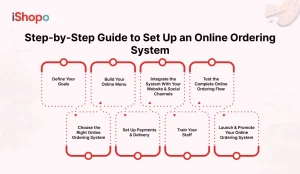
Setting up an online ordering system becomes much easier when you break it into small, clear steps. Each part helps you build a smooth path from the moment a customer visits your page to the moment their food reaches them. Once all pieces fit well, the whole process starts feeling natural.
1. Define Your Goals
Just before starting, it would be wise to sit down and think about what you really want this setting to do for your restaurant. Some restaurants desire a constant flow of online orders, whereas others want fewer phone calls or a more relaxed workflow during rush hours. Also, you might want to have clean customer data to understand which products sell well. When your goals are clear, every subsequent step becomes simpler because you are certain of what you are working towards.
2. Choose the Right Online Ordering System
Picking the right online ordering system matters a lot because it becomes a daily tool for both your team and customers. Look for simple design, fast loading speed, reliable support, and smooth POS integration. Your system should let you edit menus, manage orders, and track performance without stress. When the platform feels stable and easy to understand, your team adapts quickly, and customers enjoy ordering without confusion.
3. Build Your Online Menu
Your online menu should look simple, clean, and friendly to browse. Use short item names, clear descriptions, and bright photos that show what the dish really looks like. Try keeping your best sellers at the top so customers find them quickly. A neat layout helps people decide faster. If needed, you can add small upsell items like drinks or sides. This little touch often brings a few extra sales in a natural way.
4. Set Up Payments & Delivery
A good online ordering system needs smooth payment options that customers trust. Add commonly used wallets, cards, and any local choices your area prefers. After this, set delivery zones, timing slots, and pickup options so people can choose what fits them best. When these parts run smoothly, customers feel more comfortable completing their order. This small comfort often leads to more repeat orders and better customer trust over time.
5. Integrate the System With Your Website & Social Channels
Once your system is ready, place the ordering button at a clear spot on your website and all your social pages. Customers often check these places first, so make the link easy to notice. You can also add menu widgets and simple order links across platforms. Many restaurants use QR codes on tables, flyers, and packaging so customers can order in seconds. These steps help bring steady attention to your online ordering system.
6. Train Your Staff
Your team should know how the dashboard works, how to accept orders fast, and how to update customers when needed. When staff understand the system well, they move with more confidence and make fewer mistakes during peak hours. Training also helps them stay calm when many orders come in at once. A well-prepared team becomes one of the strongest parts of your online setup because they handle every order with more care.
7. Test the Complete Online Ordering Flow
Before going live, run multiple test orders to see how everything feels. Check how quickly notifications arrive, if any item looks misplaced, or if a page loads too slowly. Try different payment options and see if the printout or kitchen ticket looks right. Testing helps you find small issues that might trouble customers later. Fixing them early saves time and avoids confusion once real orders start coming in.
8. Launch & Promote Your Online Ordering System
When you have prepared all things adequately, do not hesitate to tell your customers in as many ways as possible. Sharing the news of your online ordering system through social media is one way. Creating and sharing simple videos, updating your Google Business Profile, and adding QR codes around your restaurant are some other ways. Even a small reminder on packaging or bills can help customers notice it. Usually, a little push at the very beginning brings a steady flow of orders and makes people familiar with your new online setup.
Read Also: QR Code Menu: Benefits & Why Your Restaurant Should Use It
Best Practices for Running an Online Ordering System
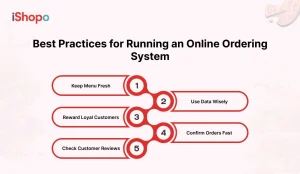
After setting up your online ordering system efficiently, you still require some simple habits to keep it strong. These minor works allow your restaurant to stay organized, help in avoiding confusion, and let customers get a consistent experience that they like. With the proper routine, everything starts to seem more natural and less stressful.
-
Keep Menu Fresh
When your online ordering system is live, keeping the menu updated becomes very important. Customers feel frustrated if they order something that is not available, so removing unavailable dishes helps avoid trouble. Add new items when you launch something fresh and check prices once in a while so everything stays correct. A clean and updated menu makes your restaurant look more honest and keeps customers trusting your service for their next orders.
-
Use Data Wisely
Your online ordering system gives you helpful data that shows what customers like the most. You can see which dishes sell fast, which items sell slowly, and what time people order the most. This simple information helps you plan stock better and reduce wasted food. It also guides you to adjust menu order or highlight top items. When you use this data wisely, your restaurant slowly becomes more organized and easier to manage every day.
-
Reward Loyal Customers
One of the clever methods to raise repeat orders is simply by inserting some small deals and loyalty rewards into your online ordering system. Such gifts to consumers evoke a sense of being cherished in them and, thus, provide them with a motive to come back. Just a few types of gifts, for example, a free side or a little discount after a certain number of orders, can make a great difference. People will be more willing to choose your restaurant than others and to place more repeat orders if they feel that they get extra value.
-
Confirm Orders Fast
Speed matters a lot when customers use an online ordering system. When orders are confirmed quickly, people feel more relaxed and trust that their food is on the way. Slow confirmation can make customers worry or cancel the order. Train your staff to check new orders often and respond right away. A quick confirmation builds confidence, reduces mistakes, and keeps your restaurant running smoothly during busy hours without unnecessary stress.
-
Check Customer Reviews
Reviews help you understand how people feel about your online ordering system and overall service. Sometimes customers share small issues you may not notice in daily work. Reading these reviews helps you fix problems early and improve your process. Even simple replies show customers that you care. When they feel heard, they return more often and trust your restaurant more. This steady feedback loop slowly builds a better and stronger customer experience.
Also Read: How Restaurants Can Save Money With Commission-Free Ordering System
Common Challenges & How to Solve Them
There can still be situations when that online system that is ordering well is put in trouble, even when your online ordering system runs well, you might still run into a few bumps here and there. These issues happen to almost every restaurant, especially during busy days. When you know what to look out for, solving these problems becomes easier, and your online ordering system keeps working smoothly.
-
Handling Peak Load
It can be that your online ordering system is briefly overloaded with all the orders that come up at the same time, and the team members might be nervous and rushing. A simple way to manage this is to keep one person focused only on online orders during those hours. Adjusting prep time on the system also helps customers understand how long it may take. These small steps keep your kitchen calm and prevent mistakes when everything gets busy at once.
-
POS Sync Issues
Sometimes the POS and your online ordering system do not show the same information, which can confuse order prep. Doing a quick check each morning helps you avoid menu mismatches or wrong pricing. If your POS supports auto-sync, use it and test it once in a while. These little checks keep orders moving smoothly and reduce the chances of customers getting the wrong item.
-
Delivery Time Problems
Delivery delays can happen even when your online ordering system works fine. A driver might be stuck somewhere, or your kitchen might get a sudden rush. Keeping your delivery zones realistic and updating customers when there is a delay can help a lot. A simple message like “running a little late” goes a long way. It keeps customers calm and shows you care about their experience.
-
Menu & Price Mistakes
It is easy to forget to update the menu or change a price, and this can confuse customers using your online ordering system. A quick daily check makes sure everything looks right before orders start coming in. If you add or remove dishes, update them right away. Keeping the menu clean and correct helps build trust and avoids awkward moments where you need to call customers to correct an order.
Read Also: iShopo – Best Online Food Ordering Software for Restaurants
Tools & Platforms to Build an Online Ordering System
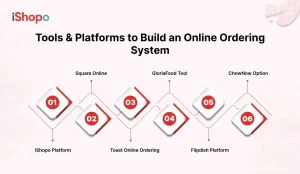
When you begin searching for equipment to construct your online ordering system, you recognize there are lots of choices. Each one comes with exceptional features, pricing, and assistance levels. Picking the proper platform makes your online ordering gadget less complicated to control and helps your restaurant run in a simple, regular way.
-
iShopo Platform
iShopo is one of the easier options to use when you want a clean and simple online ordering system. It gives you control over your menu, pricing, and delivery settings without making things confusing. The dashboard feels light, and you can update items quickly whenever something changes. Since customers see clear steps while ordering, they finish the process without confusion. Many restaurants prefer it because it saves time and keeps things organized.
-
Square Online
Square affords a handy setup that permits eating places to set up an online ordering device without the need for any technical skills. In just a few steps, you can create your menu, flip on the price feature, and hyperlink it with your POS. The look is completed expertly, as a result, making clients cozy with ordering. It also supports easy pickup and delivery settings. For restaurants that want something quick to launch, Square becomes a solid option because it reduces the usual setup stress.
-
Toast Online Ordering
Toast gives restaurants a strong online ordering system that connects smoothly with its POS. It is helpful for places that face busy hours every day and need everything synced in real time. You can update items on the dashboard, track order flow, and see useful details about what buyers like. The system keeps all restaurant data in one place, making daily work feel more organized. Many owners pick it because it offers stability and steady support.
-
GloriaFood Tool
GloriaFood gives small and growing restaurants an easy way to build an online ordering system without spending too much. You can design your menu, accept orders, and set delivery areas quickly. Its setup feels simple, which helps restaurants that want a basic but dependable solution. The tool also gives clean order notifications, so nothing gets missed. For places just starting online orders, GloriaFood becomes a smooth and comfortable first step.
-
Flipdish Platform
Flipdish helps restaurants build a branded online ordering system that looks neat and feels personal for customers. You can manage your menu, promotions, and orders in one place. It also includes simple marketing tools that help bring repeat orders. The platform keeps the ordering steps short, so customers finish their order without going back and forth. Restaurants that want a more custom look often pick Flipdish because it is still easy to handle.
-
ChowNow Option
ChowNow helps restaurants create an online ordering system without depending on high-commission platforms. You can manage customer data, send updates, and create simple deals inside the dashboard. The system keeps everything clear for your staff, which reduces mistakes during peak time. It also supports pickup and delivery settings. Many restaurants choose ChowNow because it feels fair, simple, and helpful for long-term use without extra stress.
Conclusion
Building your own online ordering system might feel like a big step at first, but once everything falls into place, the whole process starts feeling smoother every day. You get clearer orders, fewer mix-ups, and customers enjoy the comfort of ordering without waiting or calling. Over time, this small setup helps your restaurant grow in a steady and honest way because people return when things feel simple for them.
If you ever feel unsure about where to begin or which platform would actually fit your restaurant, you can always look at tools that are made to keep things easy. Something like iShopo can help you move without stress and guide you through each step in a clean and beginner-friendly way. The goal is to make ordering simple for your customers and peaceful for your team, and once that happens, everything else naturally follows.
FAQ
- Why should a restaurant set up an online ordering system?
Setting up an online ordering system helps your restaurant handle orders in a cleaner and faster way. Customers like ordering without waiting on calls, and your team gets clear details that reduce mistakes. It also helps you understand what people order the most, what time they usually order, and which dishes need more attention. All these small things slowly make your daily work easier and bring more steady orders without extra effort.
- How long does it take to set up an online ordering system?
The time depends on how prepared your menu, prices, and delivery setup are. If everything is already planned, you can finish the whole setup in a day or two. Most restaurants take a little extra time because they want to test the flow and fix small mistakes. Once the menu looks clean and payments work fine, you can go live. After that, small improvements naturally happen as you get real orders.
- Do I need technical knowledge to manage an online ordering system?
Not really. Most online ordering tools are built in a simple way so restaurant owners and staff can handle them without any tech background. You will get a dashboard where you can accept orders, update items, change prices, and see customer details. Once you spend a few hours exploring it, everything becomes easy. If something feels confusing, these platforms usually have quick support that guides you through small problems without stressing you out.
- How can I get more customers to use my online ordering system?
You can bring more customers by making the system visible in places they already visit. Share the link on your social pages, update your Google profile, place QR codes on tables, and add a small note on packaging. Customers prefer simple steps, so when they see a quick way to order, they try it without thinking too much. A few small deals or combo offers also help people shift from phone orders to your online system.
- What if something goes wrong with an online order?
Mistakes can happen, even with the best system, so it is more about how you handle them. If an order is wrong or delayed, call or message the customer quickly and fix it in a calm and friendly way. People understand issues when they see honest effort. Keeping one person responsible for order flow helps reduce such problems. Over time, as your team learns the system better, these mistakes become rarer and easier to control.