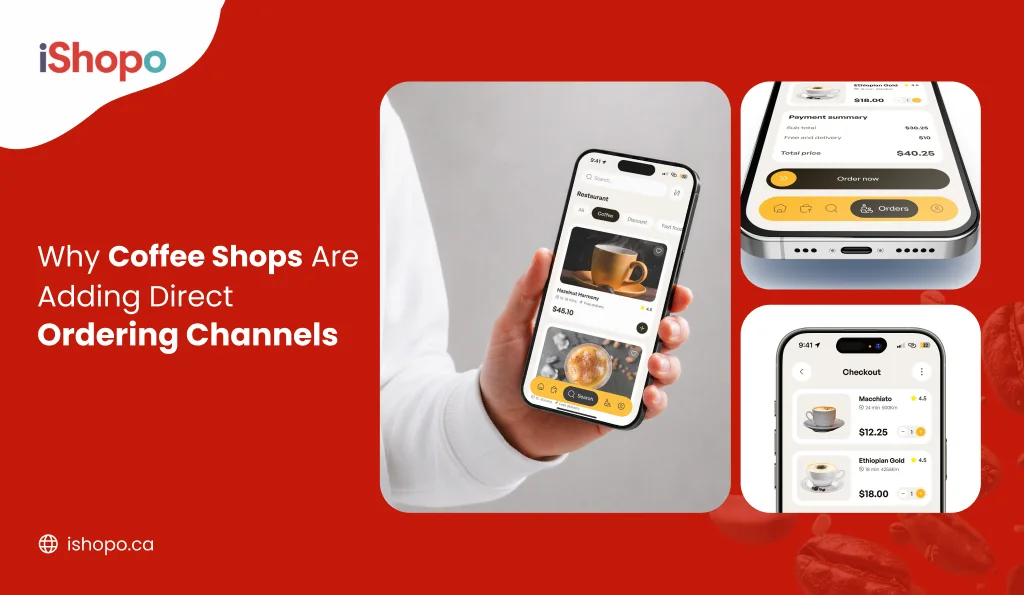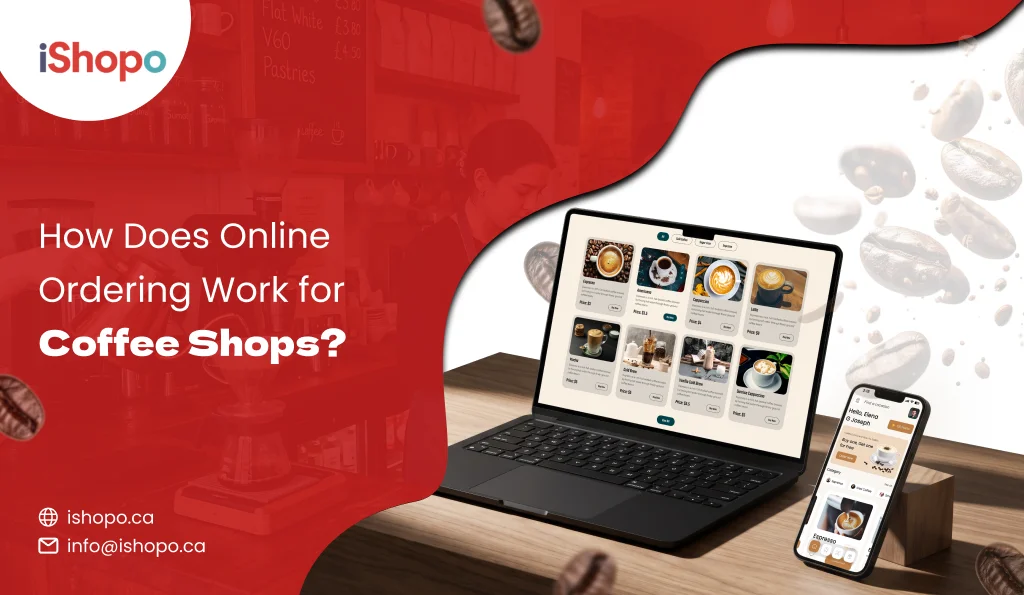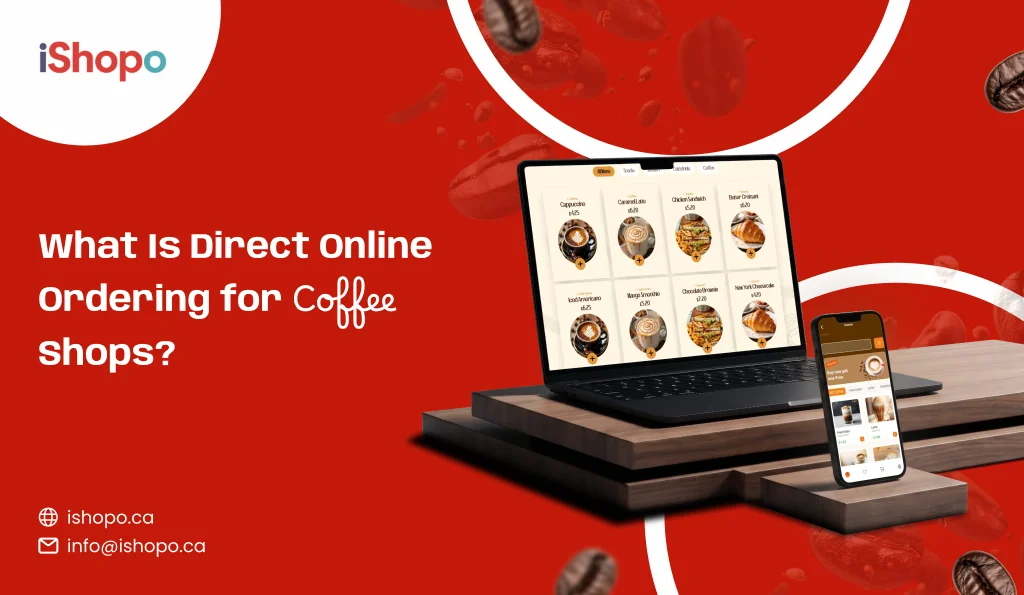

Morning rush decides your day. Ten people in line. Two baristas. One card machine acting up. If you run a café in Canada, you feel it. With over 83,000 coffee and snack shops in the U.S., competition is steep. Check the data here: IBISWorld.
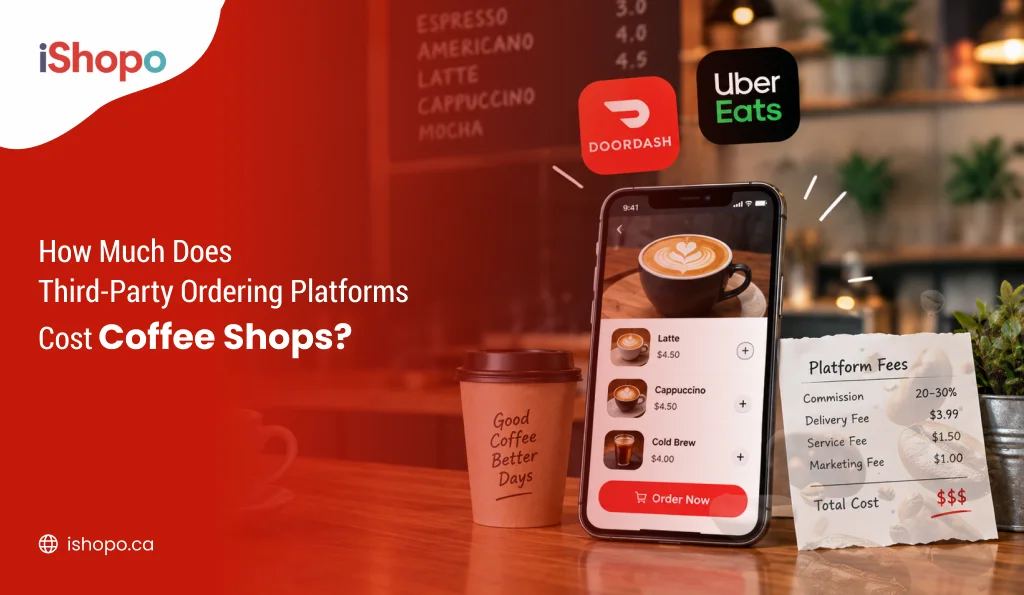
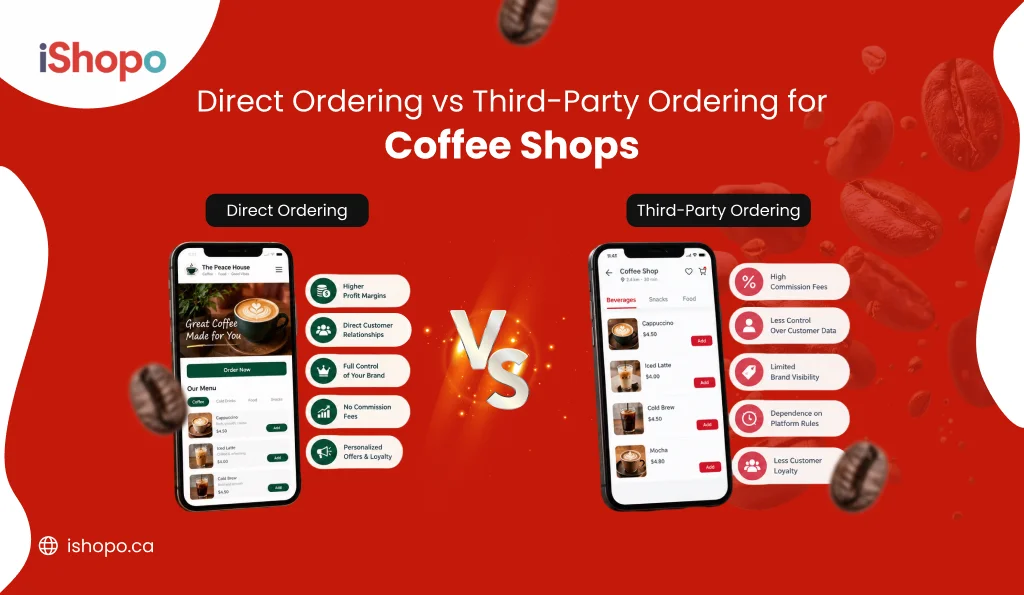
Guests want speed and control. Order ahead. Pay online. Pick up in five to ten minutes. Small mistakes cost real money. Third-party apps also take a cut and keep your customer list. That is why more cafés move to their own digital online ordering system for cafes. You keep the brand. You keep the data. You also nudge simple add-ons like an extra shot or a small snack.
This guide keeps things practical. We compare the 15 best digital ordering systems for cafés you can use in 2026. What they do well. Where they fall short. How fast you can set them up without slowing the counter. You will see which options support branded mobile apps, clear menus, and smooth handoff to your till and kitchen screens. The goal is simple. Faster lines. Fewer errors. More regulars who remember your café name, not just a delivery app.
TL;DR
- Cafés need a digital ordering system to speed lines and cut errors.
- Pick from proven ordering platforms that fit your menu, POS, and budget.
- Start with web ordering, then add branded mobile apps if repeat orders grow.
- Use order throttling, pickup windows, and KDS to protect quality at rush.
- Track repeat rate, add-on rate, and remakes. Scale what works.
Key Points
- Competition is heavy, so a digital ordering platforms helps you serve more guests with the same staff.
- Ordering platforms should handle web ordering, clear modifiers, taxes, tips, and fast mobile checkout.
- POS integration matters because it removes retyping and lowers mistakes at the bar.
- Branded mobile apps keep the guest with your café, not a marketplace, and lift repeat orders.
- The best online ordering system for restaurants supports order throttling and pickup windows during peak.
- Pricing models vary: free starters, flat monthly plans, or per-order fees. Pick what fits your traffic.
- A commission free online ordering system protects margins and keeps customer data with you.
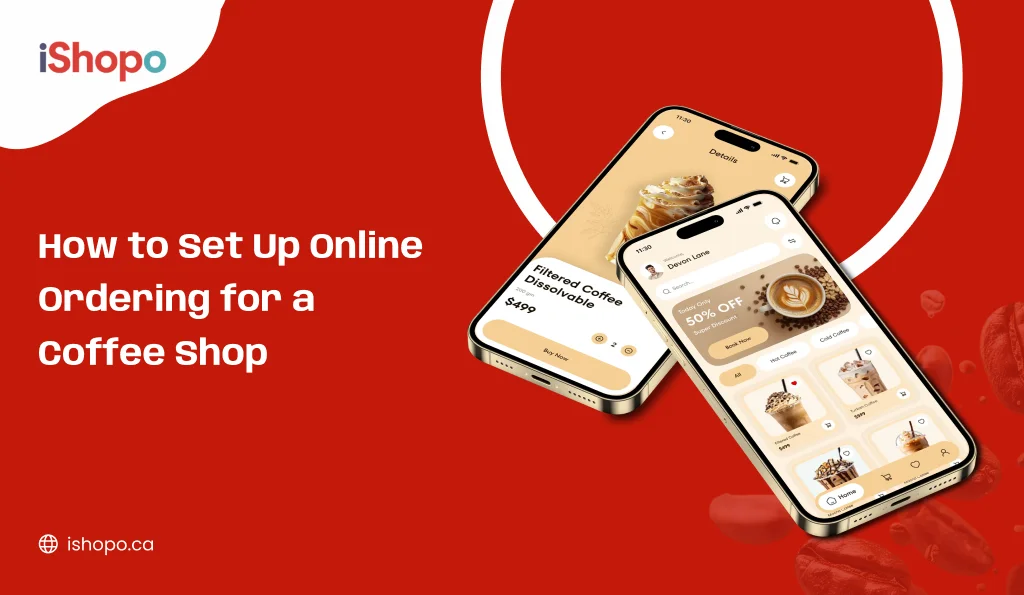
- The setup flow is simple: map a short menu, connect payments, test labels, and run a soft launch.
- Use a one-week live test to compare platforms on ticket speed, accuracy, and staff comfort.
- Measure what matters: repeat orders, add-on sales, remake count, and refunds. Expand only when these improve.
What is a Digital Ordering System for Cafés and Restaurants?
It is a simple way for guests to order and pay from their phone or web. They see your menu, choose items, add notes, and checkout. Orders land in your kitchen and POS without a call or a long counter line.
On the guest side, it works through a web link, QR on the table, or a branded mobile app. People can order ahead, schedule pickup, or choose delivery if you offer it. Tips, promos, and gift cards apply at checkout.
On the store side, the menu, taxes, and modifiers live in one place. Orders route to a kitchen screen or printer. Status moves from received, to making, to ready. Staff see name, items, and prep notes. No retyping. Fewer mistakes.
For managers, it tracks the basics you care about. Items sold by hour. Popular add-ons. Refunds and voids. Simple reports that match payouts. You can pause items when out of stock. You can set dayparts for breakfast or lunch.
In short, a digital ordering system is your online front counter. Fast for guests. Clear for staff. And it keeps your brand in the middle, not a marketplace.
Top Digital Ordering Platforms for Cafés in 2026
Here are the tools cafés trust in 2026. They help you move lines faster, cut errors, and grow repeat orders. Each pick supports easy menus, add-ons, tips, and pickup windows. Some link with your POS and kitchen screens. Others are simple and perfect for a first launch. Use this list to compare ordering platforms by fit, fees, and support. Start with one store, test order throttling, then roll out to more sites. A good digital ordering system should also power web and branded mobile apps, so guests order directly. Less waiting. More cups. Better data for decisions you make daily.
| Best for | Pricing | Key features |
| iShopo | Starter: $299/month, Professional: $499/month, Enterprise: Custom | POS, app, and web orders all flow into a single place. |
| Square for Restaurants | Free plan $0/mo; Plus $60/mo per location (CA). | Menus, table management, online ordering page, delivery integrations, reports. |
| Toast POS | POS Software from $69/mo; Starter Kit can be $0/mo with processing commitment. | Restaurant-first POS, online ordering, delivery dispatch, loyalty, analytics. |
| ChowNow | Premier: $298/mo, Pro: $199/mo, Hub: $119/mo | Website ordering, marketplace, email marketing, branded apps, delivery options. |
| GloriaFood | POS $49; Online $29; Deposits $0.50/guest; Promo/Site/Apps $19/$9/$59. | Website/Facebook ordering, promos, reservations, optional POS, mobile apps. |
| RestApp | Basic: $49/ month, Advanced: $99/ month | Web + mobile ordering, loyalty, payments, 24/7 support. |
| Oracle MICROS Simphony | Essentials “as little as” $55/mo; Plus commonly listed from $75/mo. | Cloud POS, online order routing/KDS, inventory, analytics, integrations. |
| MenuSifu | Online ordering service advertised as FREE; contact for full bundle pricing. | POS, scan-to-order, loyalty, KDS, aggregator connectors. |
| Eatance | Transaction fee 2.9% + $0.50 per order (no monthly listed). | Online ordering site/app, order tracking, table booking options. |
| Sintel Systems | Public pricing varies; software $55–$75/station, bundles $99+, quote-based. | All-in-one POS, online ordering, kiosks, KDS, 24/7 support plans. |
| Orderable | Get Orderable Pro for $104.30/year | On-site ordering, time slots, tipping, product add-ons, checkout optimizations. |
| RestroPress | Basic: Free, Starter: €199/Yearly, Professional: €429/Yearly, Business: €799/Yearly, Agency: €1499/Yearly | Standalone ordering (no WooCommerce), pickup/delivery, receipts, PayPal/COD; add-ons for extras. |
| Food Menu Pro | From $39/yr. | Menu builder, online ordering, variable pricing, Elementor blocks. |
| Ordingo | $0 monthly; card payments at 2.9% + £0.20 per transaction. | Web + mobile ordering, no contracts, quick setup. |
| iOrders | Average Order Value: $30 | Branded site + mobile app, QR ordering, delivery-as-a-service, loyalty. |
1. iShopo

iShopo is a simple digital ordering system built for first-time users. Setup is quick. Share a link and start taking pickup orders the same day. Guests see clear items, notes, and tips. Tickets print or hit a basic KDS. Reporting is light but fine for a single site. If you want a gentle start with ordering platforms, this fits. It helps you learn peak windows and add-ons without heavy training. Best for owners who want speed, not clutter. It feels like a clean cafe online ordering system you can run on a tight budget.
- Web ordering with pickup slots.
- Item notes and modifiers.
- Tips and coupons.
- Printer or basic KDS.
- Starter sales reports.
2. iOrders

iOrders moves phone orders to the web with a friendly digital ordering system. Guests order on a link or branded app, then pick up or use delivery partners. Menus are simple. Add-ons are easy. Time slots smooth the morning rush. POS links reduce double entry. If you want predictable costs and a calm rollout across one to three sites, this works. It stands well among ordering platforms aimed at independents and small chains. Many teams compare it with the best online ordering systems for small restaurants before deciding.
- Web and branded mobile ordering.
- QR codes for tables.
- Basic POS and payments.
- Delivery partner connectors.
- Loyalty and coupons.
Also Check: SEO for Restaurants: Restaurant SEO Guide to Boost Visibility
3. Square for Restaurants

Square for Restaurants adds online ordering to Square POS in days. Your menu lives in one place. Turn on the digital ordering system, share the link, and route tickets to KDS. Fees and reports are clear. Staff learn fast. It’s a natural step if you already use Square and want fewer vendors. For owners comparing ordering platforms, Square is a steady default that just works. It is, at heart, a pos system with online ordering that keeps your menu, taxes, and payouts aligned.
- Built-in online ordering page.
- Unified catalog and taxes.
- KDS and curbside.
- Delivery integrations.
- Clean reporting.
4. Toast POS

Toast POS is built for speed. Online tickets land in a fast KDS with smart routing. You can throttle orders during peak to protect drink quality. The digital ordering system handles many modifiers, so custom drinks stay simple. Reports, loyalty, and gift cards are native. Hardware is tough. If you’re judging ordering platforms for busy counters, Toast is a top pick. It functions as a full restaurant online ordering system with strong kitchen flow.
- Native online ordering and payments.
- Order throttling and pickup windows.
- KDS, curbside, dispatch.
- Loyalty and gift cards.
- Shift and sales reports.
5. ChowNow

ChowNow focuses on direct, commission-free orders. You get a clean web page and optional branded apps, so guests order from you. The digital ordering system supports promos and email that bring people back. Pickup is smooth. Delivery can run through partners. If you want margin control and repeat orders without big marketplace fees, this belongs on your ordering platforms shortlist. Many cafés like it as a commission free online ordering system with simple marketing tools.
- Direct web ordering.
- Branded mobile apps.
- Email marketing and promos.
- Pickup and delivery options.
- Customer data tools.
6. GloriaFood

GloriaFood is a low-cost path to online orders. Core web ordering is free, and you add online payments or apps when ready. The digital ordering system has a simple builder, coupons, and reservations. Good for single-site cafés that want to test demand first. Keep an eye on payouts and support as volume grows. If you’re trying ordering platforms on a budget, this is an easy start. It works well as a free online ordering system while you learn what guests prefer.
- Free core web ordering.
- Drag-and-drop menu builder.
- Coupons and promos.
- Optional online payments.
- Optional branded apps.
7. RestApp

RestApp pairs reservations with takeout in one digital ordering system. Menus are clear. Printers and simple KDS are supported. Time slots help you manage the line. Light loyalty nudges repeat visits. Reports cover the basics. For owner-operators comparing ordering platforms, it’s calm and practical. It works as an online menu ordering system for restaurants that seat guests and also run steady pickup.
- Orders plus reservations.
- Printer and KDS support.
- Simple loyalty and coupons.
- Pickup windows and dayparts.
- Basic sales reports.
8. Oracle MICROS Simphony

Simphony fits multi-site groups. Menus sync across locations with local pricing when needed. The digital ordering system routes tickets to the right station. Managers get deep reports, inventory, and labor tools. Integrations cover delivery and payments. Rollout takes planning, but it scales well. If you want enterprise-grade ordering platforms with staying power, this belongs on your list. It sits with the top online ordering systems for restaurants when you need control and volume.
- Cloud POS with online ordering.
- KDS with smart routing.
- Menus by site or region.
- Advanced analytics and inventory.
- Broad integrations.
9. MenuSifu

MenuSifu supports fast casual menus with many options. The digital ordering system links to POS and supports bilingual menus. KDS keeps the line moving. You can set dayparts and detailed modifiers for complex drinks. Loyalty and delivery links are available. For teams reviewing ordering platforms and needing flexible menus, this is a strong fit. Many cafés use it as an online ordering pos system to keep entry clean.
- POS + online ordering.
- Deep modifiers and dayparts.
- Bilingual options.
- KDS and printers.
- Delivery connectors.
10. Eatance

Eatance keeps fixed costs low with a pay-per-order plan. Guests order on web or mobile and track status. The digital ordering system supports pickup and delivery with coupons at checkout. Menus are easy to edit. If you want to try ordering platforms without a big monthly bill, start here. It helps you watch the cost of online ordering system spend while building a direct channel.
- Web and mobile ordering.
- Real-time order status.
- Pickup and delivery flows.
- Coupons and tips.
- Simple reports.
11. Sintel Systems

Sintel Systems bundles POS, payments, and a digital ordering system under one roof. Tickets sync with KDS and printers. Loyalty and gift cards are part of the suite. Multi-store owners manage menus and prices centrally. Support is 24/7. If you want fewer contracts and a single vendor across ordering platforms, this is tidy. It’s practical online ordering system software for cafés that plan to grow.
- All-in-one POS + online.
- KDS and printer options.
- Central menu management.
- Loyalty and gift cards.
- 24/7 support.
12. Orderable

Orderable turns a WordPress + WooCommerce site into a live digital ordering system. You keep hosting and design control. Add time slots, tipping, and add-ons. Checkout is fast on phones. It suits cafés that prefer owned channels and light software costs while testing ordering platforms. In plain words, it’s an online ordering system for restaurants that want to stay on their own site.
- On-site web ordering.
- Time slots and scheduling.
- Tipping and add-ons.
- Checkout optimizations.
- Works with WooCommerce.
13. RestroPress

RestroPress is a free core plugin for on-site orders. It’s not tied to WooCommerce, so setup is quick. Guests pick times, add notes, and pay with PayPal or cash on pickup. The digital ordering system can grow with paid add-ons. If you want control over your stack and a light take on ordering platforms, it’s a smart start. Many cafés use it as a wordpress online ordering system to stay lean.
- Standalone ordering plugin.
- Pickup and delivery times.
- Coupons and emails.
- PayPal and COD.
- Lightweight setup.
14. Food Menu Pro

Food Menu Pro shows visual menus and accepts orders on your own site. The digital ordering system supports photos, sizes, and extras. Layouts work well on phones. Pair it with a fast host and keep the stack lean. If you are browsing ordering platforms and want a visual look without heavy fees, this is handy. It helps cafés compete with the best online ordering platforms while staying on WordPress.
- Visual menu with photos.
- Add to cart and checkout.
- Category filters and search.
- Mobile-friendly layouts.
- Works with popular builders.
15. Ordingo

Ordingo is simple. No monthly fee. You pay card rates per order. Share your link and take pickup orders fast. The digital ordering system is light, so staff learn it in a day. Reports cover the basics for one café or a few sites. If you want to test ordering platforms without contracts, this helps. It fits owners who need an online ordering system for small business with quick setup.
- No monthly subscription.
- Web ordering link.
- Quick setup.
- Order alerts for staff.
- Basic item and sales reports.
What Happens When a Customer Places a Digital Order?
From tap to pickup, the flow is simple. Guests open your menu, customize, choose a time, and pay. The digital ordering system sends a clean ticket to the POS and kitchen, so staff start right away. Order throttling and pickup windows keep rush hour sane. Compared with generic ordering platforms, you own the experience, cut errors, and move more cups with the same team.
Step 1: They open your menu.
They tap a link, scan a QR, or use your branded mobile app. The digital ordering system shows live items, prices, and sold-out flags. Photos and short notes help guests choose fast. Everything loads clean on a phone.
Step 2: They customize.
Milk, shots, syrups, pastry add-ons. Modifiers are simple checkboxes, not a long form. Notes handle “extra hot” or allergy needs. Clear options raise the average ticket a little.
Step 3: They choose time and pay.
Pickup now or a later slot if the bar is busy. Taxes, tips, and fees appear before they pay. Cards, wallets, or gift cards work the same. They get a quick confirmation on screen.
Step 4: Your POS and kitchen get the ticket.
The order drops into POS, then fires to KDS or a printer. Items route to the right station, drinks to bar, food to prep. No retyping from paper. Fewer mistakes, faster starts.
Step 5: You prep and stage.
Baristas follow the queue in order. Labels show the name and any notes. Finished cups move to the pickup shelf with the bagged snack. Staff mark the ticket “ready.”
Step 6: The guest gets updates.
Email or SMS confirms the order and pickup time. A second message can say “in progress” or “ready.” Clear signage points to the pickup shelf. They show the name, grab, and go.
Step 7: Data and repeats.
Reports show items by hour, new versus repeat, refunds, and tips. You use that to tune prep times and throttle peaks. Ordering platforms settings help open or slow slots during rush. Next week, promos target the items people actually buy.
How to Choose the Right Digital Ordering System for Cafés?
Pick like a customer, not like an admin. Your goal is a smooth flow from tap to ticket. Use this simple path to find the right fit. Here are the steps on how to choose the right digital ordering system for cafes.
1. Set the goal and budget
Decide what you want in 90 days. Faster lines, higher AOV, or fewer mistakes. Fix a monthly budget in USD. Include software fee, payment charges, printer or KDS, and training time.
2. Shortlist the right types
Match tools to your rush.
- POS with web ordering for everyday use.
- QR table ordering for small spaces.
- Kiosk for heavy morning traffic.
- A light online cafe ordering system for pickup and delivery.
3. Test like a guest
Place ten real orders on budget phones. Try one refund, one scheduled pickup, and one delivery. Time everything. Menu load, cart build, payment, receipt, ETA, and status alerts. If it feels slow, move on.
4. Run a mini stress test
Fire ten tickets in five minutes. Watch the queue. Check routing to the bar and kitchen. See if order throttling holds the line. If staff start shouting across the counter, the flow is wrong.
5. Check POS integration and data access
Your POS is the source of truth. Prices, taxes, and stock must sync both ways. Tickets print clearly with bold modifiers. Tips map to payroll. Exports for menu and customers must be one click. No lock-in.
6. Score it with a simple rubric
Give each item 1–5. Keep it honest.
- Mobile speed and UX.
- POS sync and reliability.
- Pickup and delivery features.
- Menu control and modifiers.
- Reporting and basic customer data.
- Support quality and response time.
- Total cost of ownership for one year.
Pick the top two and trial both for a week.
7. Judge the daily work
Can staff accept, prep, and hand off without thinking. Are modifiers forced where needed. Do out-of-stock items hide in minutes. Can you change the price and push it everywhere fast. The best mobile ordering system for cafés makes busy hours feel calm.
8. Confirm support and uptime
Ask for real SLAs. Test support once during your local peak. Good replies are clear and short. Also ask about backups, audit logs, and failover for payments.
9. Look for honest pricing
Choose flat software fees. Clear gateway rates. No surprise “per order” commissions on direct sales. Add a small buffer for printers, KDS screens, or a basic kiosk if needed.
10.Plan the launch
Start with one location and one menu. Do a two-day soft launch. Fix the rough edges. Then promote. Add your direct link to Google, Instagram, and table QR. Keep weekly reviews. Change one thing at a time.
Quick red flags
- No export of menu or customer data.
- Slow pages on budget Android phones.
- Messy tickets without bold modifiers.
- Support that copies scripts.
- Long contracts with early exit fees.
Choose simple first. A good digital ordering setup can sit on top of your POS, run QR and kiosk, and power a clean cafe online ordering system for pickup and delivery. When it feels obvious to guests and staff, you picked the right one.
Also Read: QR Code Menu: Benefits & Why Your Restaurant Should Use It
Tips for Switching from Third-Party to In-House Ordering
Start with the goal. Lower fees, faster lines, and direct relationships. Pick a digital ordering system you can run daily without stress. Shortlist two or three ordering platforms, then test them for one week each.
1. Choose your stack
Pick one web ordering tool and, if needed, a branded mobile app. Keep month one simple. One menu. One payout account. One support contact. Your digital ordering system should print clear labels and talk to your POS or KDS. Avoid extra plugins at the start. You can add loyalty, delivery links, and gift cards later once the basics run smoothly every morning.
2. Map your menu
Clean names. Clear sizes. Tight modifiers. Hide items that slow the line, like rare bakes or long grill items. Group add-ons that sell often, such as extra shot or syrup. Add short notes for allergens. Test the full flow on a phone before launch. If a guest cannot finish checkout in under a minute, simplify until they can.
3. Taxes, fees, tips
Set GST or HST by province inside your ordering tool. Add a pickup fee only if it truly covers packaging. Keep tip prompts simple, like 12, 15, and 18 percent. Show the full total before pay. Turn on digital receipts with your legal business name. Check a few test orders to confirm tax lines and rounding look correct.
4. Payments and printers
Connect your payment processor first. Run three real test orders with card and wallet. Next, pair your KDS and label printer. Print customer name, items, and notes on every label. Keep spare paper and a backup printer ready. If you cannot read a ticket in two seconds at the bar, change the font size or layout before going live.
5. Control the rush
Set prep times that fit your bar speed. Use order throttling so you accept only as many orders as your team can make well. Offer pickup slots every five minutes at peak, ten minutes off-peak. Pause items when stock runs low. If lines spike, extend prep time by two minutes and watch remake rates drop.
6. Train the team
Do one 30-minute run-through with mock orders. Everyone should know how tickets appear, how to mark “in progress,” and how to mark “ready.” Walk through refunds and remakes. Agree on a simple rule for late pickups. Keep a one-page cheat sheet near the KDS with steps, printer resets, and the support phone number.
7. Soft launch
Invite twenty regulars and a few neighbours. Share the link, give a small welcome code, and ask for honest feedback. Watch for cart drop-offs, slow pages, and menu confusion. Fix typos, prep times, and staging space the same day. This small test helps you avoid noisy mistakes when you open the flow to everyone.
8. Promote direct
Put a QR at the till and on the door. Add “Order Online” to your website and Google Business Profile. Share the link on Instagram and in your email footer. Explain that direct orders help you keep prices fair. If you have a branded mobile app, show the icon at pickup so guests try it next time.
9. Watch the numbers
After thirty days, check repeat rate, add-on rate, and remake count. Compare fees saved versus your old third-party setup. Shorten or extend pickup windows based on wait times. If results look good, scale the setup to more sites. Keep testing ordering platforms features, like promos or limited menus, but change only one thing per week.
Conclusion
Speed wins the morning. Accuracy wins the day. A digital cafe online ordering system helps you do both without adding a new shift. Start small. Pick one tool, map a clean menu, set pickup windows, and train the team for thirty minutes. Run a soft launch with twenty regulars. Fix the small stuff fast.
When you compare ordering platforms, look past shiny features. Check ticket flow on a phone, printer labels, taxes, and refunds. Make sure KDS and payouts are clear. If you plan a branded mobile app later, confirm the same menu can power web and app together.
Measure what matters. Repeat orders. Add-on rate. Remakes. If those move in the right direction, roll out to more sites. Keep your link on the door, website, and Google profile. Direct orders grow habits. Habits grow cafés.
Try iShopo to launch a clean digital ordering system in a day, cut queues, and turn first-time buyers into regulars.
Frequently Asked Questions
What is the best online ordering system?
“Best” depends on your size, staff, and POS. If you already use a POS with online tools, start there. If you want web first with low cost, try a free starter and add paid features later. Always run a one-week live test during the morning rush before you decide.
How can I implement a digital ordering system in my restaurant?
Pick one tool and map a short menu. Connect payments, set taxes, and print test labels. Train the team for 30 minutes, then do a soft launch with twenty regulars. Use pickup windows and throttling to protect quality during peak.
How can a restaurant ordering system improve customer experience?
Guests order ahead, skip the line, and pick up on time. Clear modifiers reduce mistakes. Labels with names keep the shelf tidy. Simple status updates calm nerves and cut “is my order ready” questions.
How much does a restaurant ordering system cost?
You can start free with basic web ordering, then add paid options. POS bundles are often $50–$100 per month per location, plus card fees around 2.9% + a small fixed amount. Some tools charge per order instead of monthly. Prices change, so check the vendor page for current Canadian rates and any hardware costs.