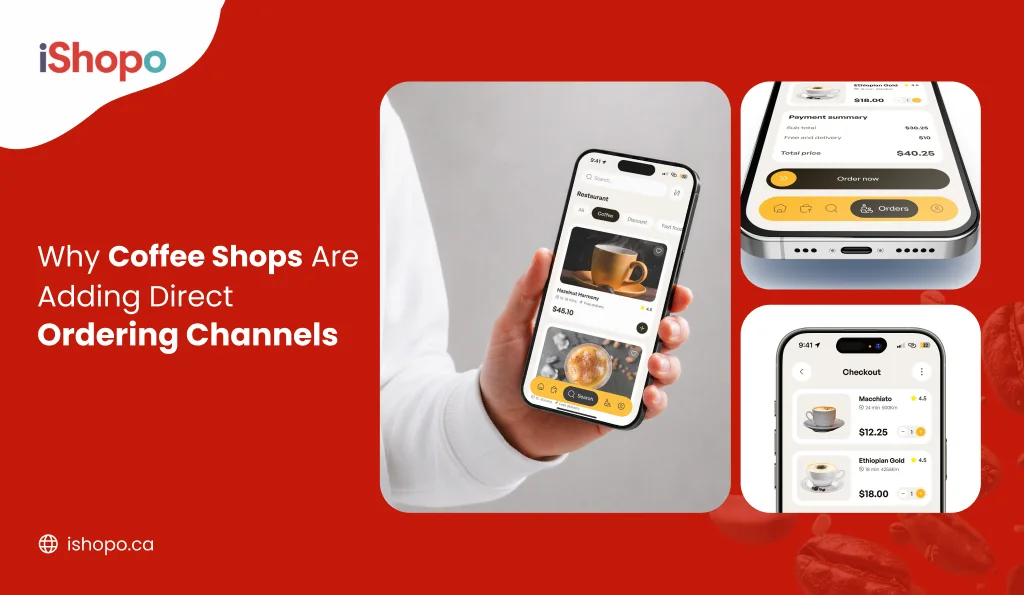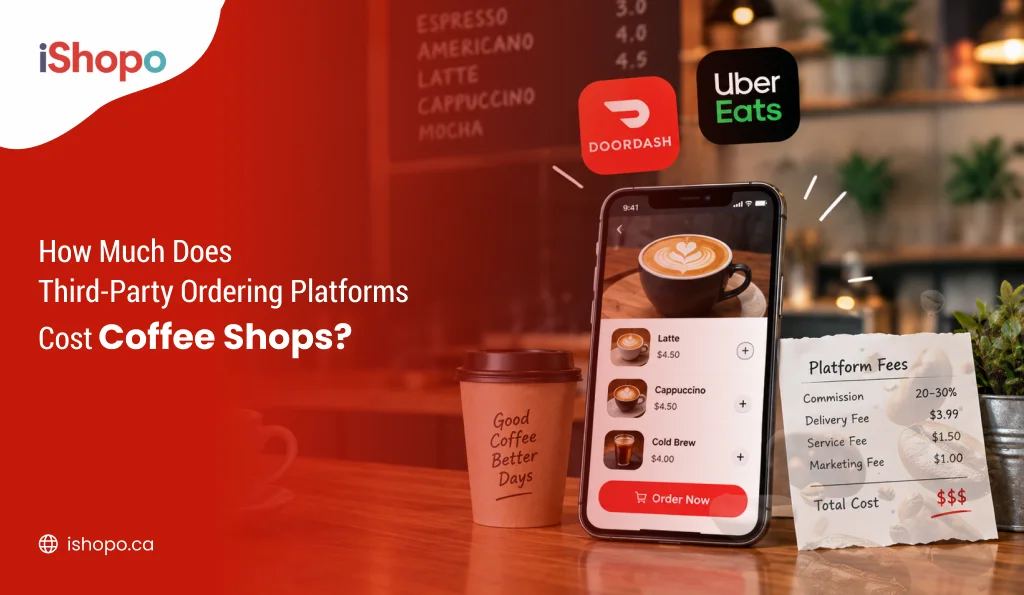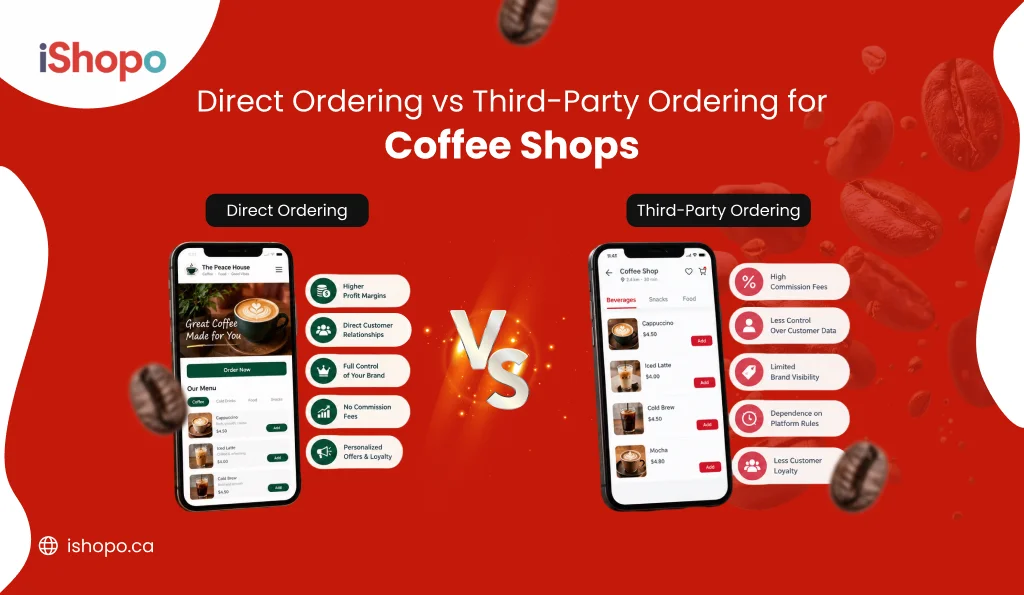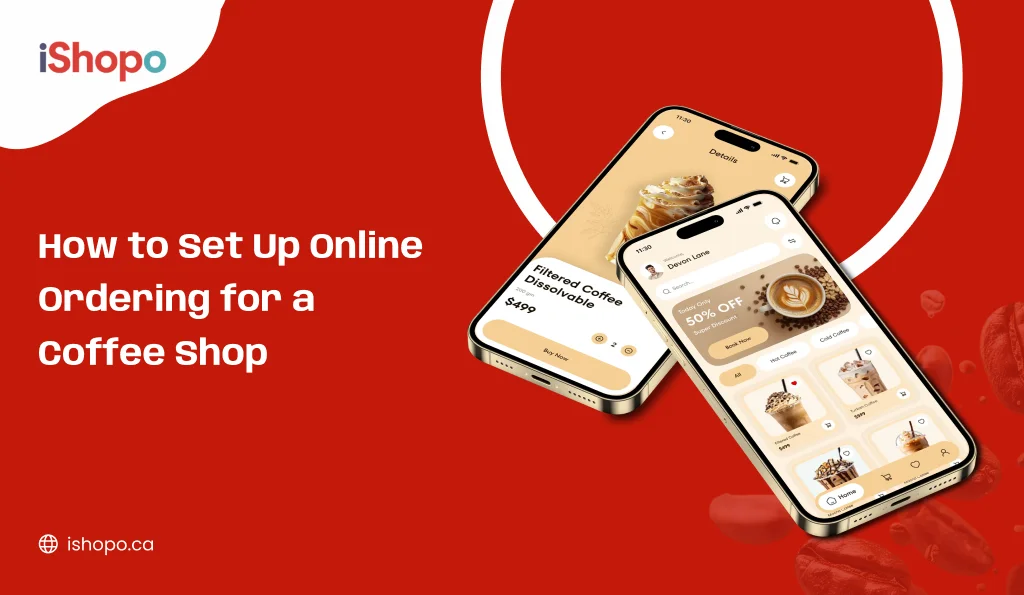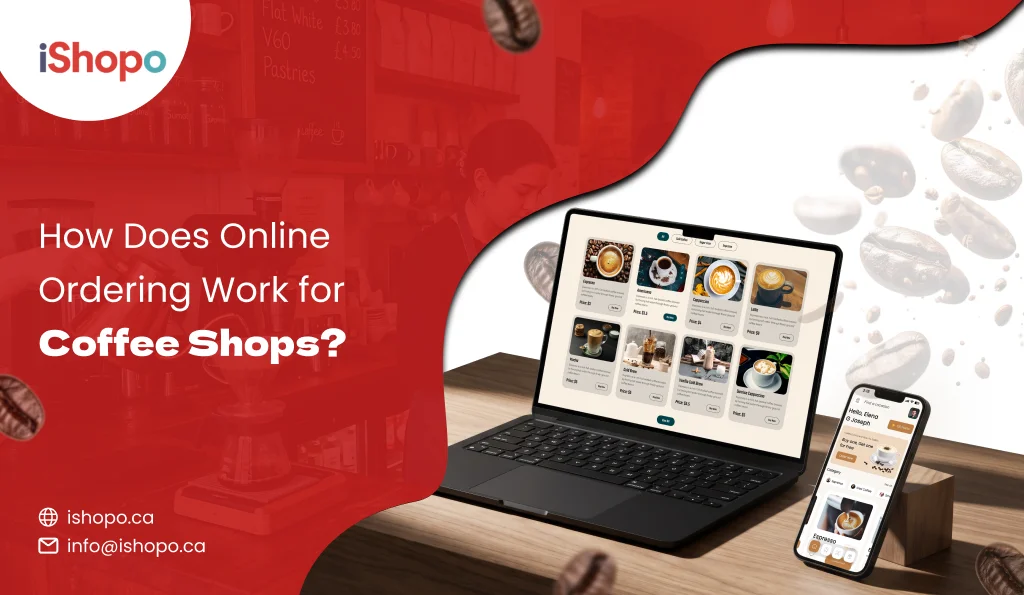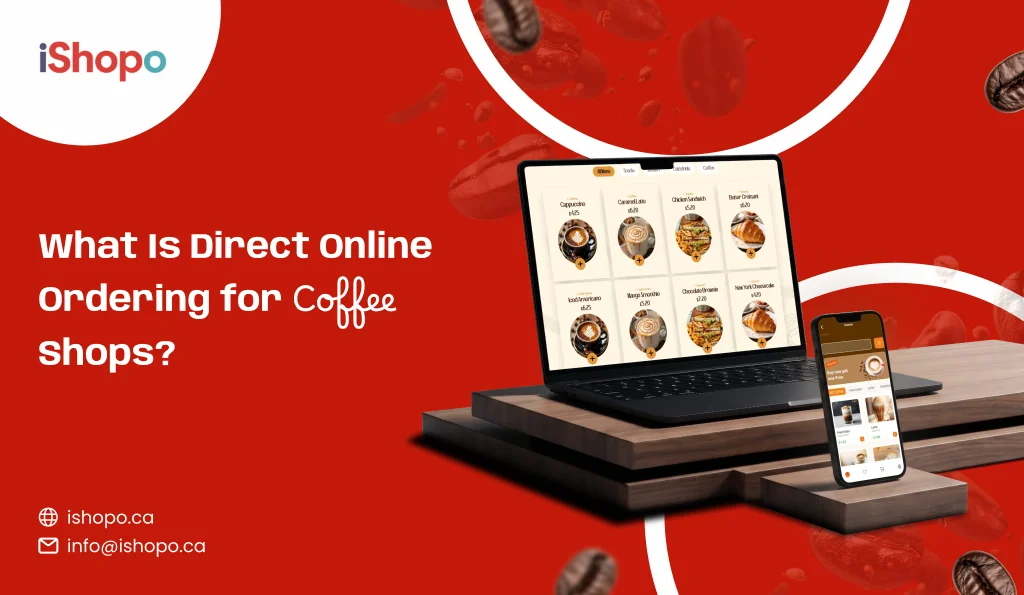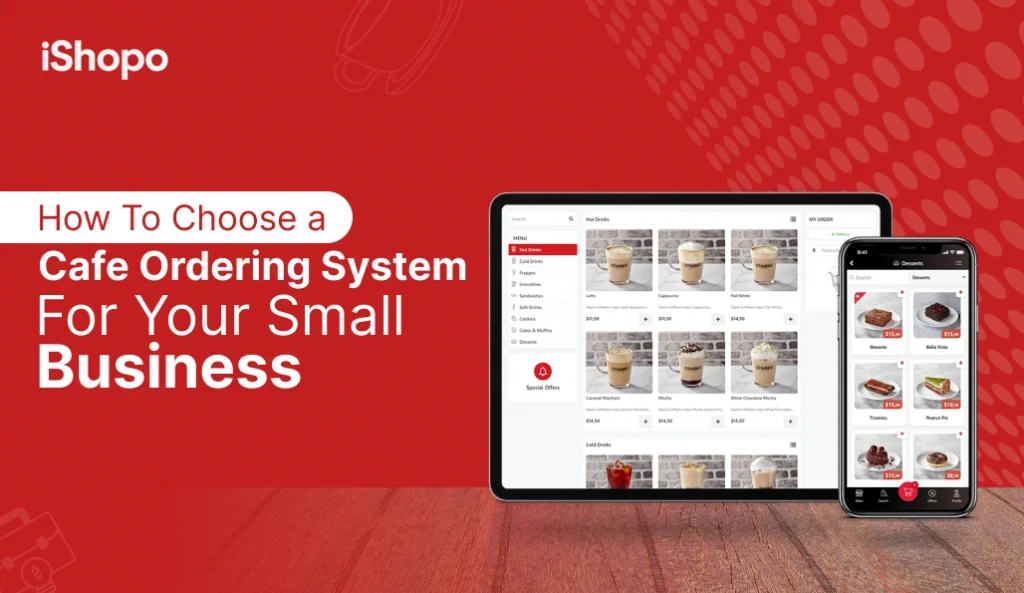

Your queue decides your sales. Faster orders, more cups out, happier guests. The global coffee pie is also growing. Statista estimates US$96.45B at-home coffee revenue in 2025, and US$376.70B out-of-home in restaurants and bars. Together that is US$473.10B in 2025. At-home is set to grow ~2.96% CAGR (2025–2029). These figures cover whole bean, ground, instant, and more, across on-trade and retail channels (Statista). In this rush, your tool matters. An online cafe ordering system helps guests order in seconds, keeps modifiers clear, and gets payments right the first time. Start simple, test like a customer, and choose a setup you can scale without stress. In this blog, you will find what it is, the types (POS, kiosk, online, table, integrated), how it works, core components, benefits for customers and staff, small-business reasons, growth benefits, key features, how to choose, and FAQs.
TL;DR
- Choose a Cafe Ordering System that shortens queues and speeds up handoffs.
- Use a website for reach, and add QR or kiosks to move peak-hour lines faster.
- Keep one menu, one price list, and one source of truth across all channels.
- Test the full flow on budget phones with real orders, refunds, and scheduled pickups.
- Sync everything with your POS and track core metrics every week.
- Promote your direct ordering link on Google, Instagram, packaging, and in-store signage.
- Improve one element each week based on data and real customer feedback.
Key Points
- The coffee market is huge in 2025, so a Cafe Ordering System helps you convert footfall and online interest into faster orders and steady repeats.
- A Cafe Ordering System can be POS, QR, kiosk, mobile, or an integrated stack, and each channel solves a different bottleneck.
- Direct online ordering protects margins and data, while marketplaces are best for discovery and short-term spikes.
- The system should keep one menu, price list, taxes, and stock across POS, QR, kiosk, and web to avoid mismatches.
- Fast mobile UX, saved reorders, and honest ETAs increase conversion and reduce “where is my order” calls.
- Key features include POS integration, order throttling, kitchen routing, secure payments, and simple refunds that flow both ways.
- Best practices are staff training, clear customer comms, real-device testing, weekly monitoring, and regular menu and hours updates.
- Choose tools with flat fees, exportable data, and reliable support so you can scale to a second outlet without rebuilds.
- Measure direct order share, average order value, prep time, on-time rate, and refund rate to guide small weekly improvements.
- QR menus, self-service kiosks, mobile ordering, tabletop tablets, and POS-integrated systems form a practical mix for calm, busy hours.
What is a Cafe Ordering System?
A Cafe Ordering System is the tech that takes an order from a guest and gets it to your barista fast, with clear payment and a clean ticket. It can be a POS at the counter, a QR menu on tables, a kiosk near the door, or an online cafe ordering system on your website or app. The goal stays simple. Shorter queues. Fewer mistakes. Faster drinks.
Think of it as one pipeline. Customers choose items, pick milk and size, confirm pickup or table, pay, and get an ETA. Your team sees the same order on a screen or printer. No double entry. No “what was that latte” calls. Good systems also sync with inventory, send receipts, and store basic customer data for reorders. Whether you run one kiosk, a cafe online ordering system, or a full cafe order system across outlets, the best setups keep one menu, one price list, and one truth across every channel.
Top Examples of a Cafe Ordering System
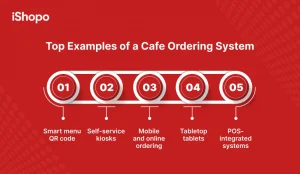
These five examples show the practical ways cafés take more orders without adding chaos. Each tool solves a different problem. QR cuts queues. Kiosks handle rush. Mobile and online bring in pre-orders. Tabletop tablets speed dine-in. POS-integrated setups keep one truth for prices, taxes, and stock. Start with one channel, then add more as habits form. Test on budget phones. Place ten real orders and try one refund. Watch tickets, modifiers, and ETAs. Track three numbers weekly: average order value, on-time rate, and repeat orders. Pick the mix that feels simple to run daily. A good Cafe Ordering System should make busy hours calm and end-of-day totals match without drama.
1. Smart menu QR code
A small code on the table opens your menu on any phone. Guests scan, choose size and milk, pay, and see an ETA. No app download. Fewer queues at the counter. You can add photos, allergen tags, and quick add-ons like an extra shot. When items 86, they hide within minutes. Pair QR with a pickup shelf so handoff is smooth. For busy mornings, this Cafe Ordering System channel keeps orders flowing without extra hires.
2. Self-service kiosks
A bright screen near the door handles simple orders fast. People browse, tap, pay, and get a ticket. Baristas focus on drinks, not typing. Kiosks are great in tight spaces or stations with heavy rush. Look for upsell prompts for pastries, clear allergen flags, and a quick search. Tickets must print clean with bold modifiers. When kiosks absorb the morning peak, lines move, walkaways drop, and staff stress stays low.
3. Mobile and online ordering
Guests order on the go and collect on time. A light mobile site or PWA lets them save addresses and one-tap reorder. Use scheduled pickups to spread demand. Add delivery zones later when you are ready. Keep pages fast on budget Android phones. Honest ETAs and status texts cut “where is my order” calls. This channel builds habits. Regulars pin you on their home screen and buy again without standing in line.
4. Tabletop tablets
Small tablets sit on tables for dine-in. People browse, split bills, and call for service with a tap. Orders route to bar or kitchen instantly. Good for larger cafés or patios where servers walk long distances. Lock tablets to the menu to avoid drift. Wipe screens often and keep chargers handy. When tablets handle routine tasks, staff spend time on greetings, refills, and speed, which lifts tips and guest happiness.
5. POS-integrated systems
Everything speaks to the POS. Menu, prices, taxes, and stock live in one place, then publish to QR, kiosk, and web. Tickets route to the right station. Tips map to payroll. Refunds flow both ways. At close, totals match. This backbone reduces errors and training time. If you plan to add outlets, POS-integrated cafe ordering systems keep scale simple. You copy the menu, tweak hours, and go live without rebuilding your stack.
Also Check: 35 Best Restaurant Marketing Ideas to Boost Sales
Best Practices to Follow While Implementing a Cafe Ordering System
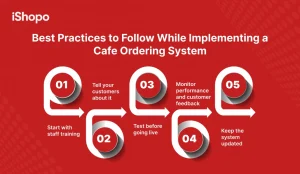
Start small, then polish weekly. Train staff on one, clear flow: accept, prep, update, handoff. Tell customers early with QR cards, Google links, and short reels. Place ten test orders on budget phones before launch and fix rough spots fast. Track five numbers weekly and read real feedback. Keep menu, prices, hours, and routing updated. When your Cafe Ordering System stays tidy, rush hours feel calm and day-end totals match.
1. Start with staff training
Teach the flow end to end. Accept, prep, update, handoff. Run a 30-minute mock rush with 10 test tickets. Practice 86ing items, partial refunds, and reprints. Keep a one-page cheatsheet near the KDS: milk codes, modifier order, pickup zones. Assign one owner per shift. When everyone follows the same simple steps, your Cafe Ordering System feels easy from day one.
2. Tell your customers about it
Make the link impossible to miss. Add it to Google Business Profile, website header, and Instagram bio. Put QR codes on doors, tables, bags, and receipts. Use a first-order pickup code for week one. Post a 20-second reel showing scan → tap → pay. Place a small tent card at the counter: “Order here, skip the line.” Clear cues build quick habits.
3. Test before going live
Place ten real orders on budget Android phones. One small cart, one large cart, one scheduled pickup, one refund. Fail a payment once to see the error message. Check tickets: bold modifiers, clear names, right stations. Time the journey from tap to ticket. If anything confuses you, it will confuse guests. Fix it, then retest the same day.
4. Monitor performance and customer feedback
Track five numbers weekly: direct order share, average order value, prep time, on-time rate, refund rate. Read three reviews and two DMs to spot patterns. Watch heatmaps and drop-offs on the checkout page. Change one thing at a time, then measure for seven days. Keep what moves the numbers. Drop what does not. Small, steady wins compound.
5. Keep the system updated
Audit menu, prices, taxes, and hours every Friday. Hide 86’d items fast. Swap hero photos monthly. Review routing and throttling before festival peaks. Update app caches and browser assets after big edits. Export customer and menu data regularly. Test backups and a fallback printer. A tidy, current setup prevents rush-hour surprises and keeps totals matching at close.
Types of Cafe Ordering Systems
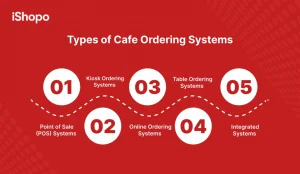
Pick the mix that matches your footfall, space, and budget. Many cafés begin with a POS, then add QR on tables, and later an online cafe ordering system for pickups. The aim is one truth everywhere: one menu, one tax setup, one stock count. As you grow, integrated setups connect POS, kiosk, QR, and web. This reduces double entry and keeps reports clean. When you shortlist tools, test three real flows: morning rush, lunchtime sandwiches, and late-day snacks. Check if upsells feel natural, refunds are simple, and staff can find modifiers fast. The best Cafe Ordering System will make busy hours feel calm.
1. Point of Sale (POS) Systems
A POS is the counter screen your team uses to enter items and take payment. It is fast for walk-ins and simple for new staff to learn. Look for saved modifiers for milk, size, and extra shots, so baristas tap less. Ensure tickets print clearly or show on a KDS. Sync menu and taxes weekly to avoid mismatch. When orders increase, connect POS to your cafe online order management system so online and counter sales share one source of truth.
2. Kiosk Ordering Systems
Kiosks are self-ordering screens that cut queues during peak hours. Guests browse the menu, see photos, pay, and get a ticket number without waiting at the counter. This frees staff to focus on drinks, not order entry. Choose kiosks with smart search, allergen flags, and clear upsells for pastries. Many operators call kiosks the fastest self-ordering system for cafes because they absorb the morning rush and keep lines moving with fewer staff on the floor.
3. Online Ordering Systems
An online cafe ordering system lets customers order from mobile or laptop for pickup, curbside, or delivery. It should be lightweight, mobile-first, and easy to pay. Add saved addresses, recent orders, and one-tap reorders for regulars. A PWA helps guests “add to home screen.” If you sell baked goods, look for the online ordering system for cafe and bakeries that supports pre-orders for cakes. Tie it to your POS so prices, taxes, and stock stay aligned.
4. Table Ordering Systems
QR menus on tables reduce wait time and improve accuracy. Guests scan, select drinks and food, add notes like “oat milk” or “extra hot,” and pay on their phones. Staff focus on service instead of taking orders. Keep the QR menu fast to load and clear on allergens. Good qr order systems customer satisfaction cafes scores come from simple flows, honest ETAs, and status messages. Pair QR with a KDS so tickets route to the bar or kitchen instantly.
5. Integrated Systems
An integrated Cafe Ordering System connects POS, kiosk, QR, and web into one stack. You manage one menu and one price list, then publish everywhere. Orders route to the right station, and stock counts update across channels. Reports show true sales, average order value, and peak hours in one view. This setup reduces training time, errors, and daily admin. For multi-site cafés, integrations protect consistency while letting each location tweak hours, items, or pickup slots.
How Does a Cafe Ordering System Work?
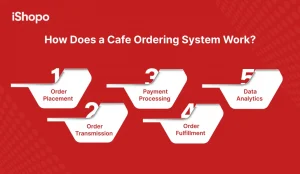
Think of a single pipeline: place order, transmit details, take payment, fulfill, and learn from data. A strong Cafe Ordering System keeps each step short and visible. Guests see price, taxes, and ETA before they pay. Staff see the same ticket with bold modifiers and clear station routing. Payments settle with tips and refunds handled in the same flow. After service, dashboards reveal what sold, when the rush peaked, and which upsells worked. Use that feedback to refine menu placement, staffing, and offers across POS, QR, kiosk, and your cafe online ordering system.
1. Order Placement
Customers order at the counter POS, a kiosk, a QR table menu, or your online ordering system for cafe. They choose size, milk, syrup, and any extras. The cart updates price and ETA in real time. For pickup and delivery, addresses and time windows are saved for next time. One-tap reorders help regulars move fast. Clear allergen labels and simple modifiers reduce questions, speed lines, and keep orders accurate during busy periods.
2. Order Transmission
Once placed, the order flows to the right station. Espresso tickets go to the bar. Sandwiches go to the kitchen. The KDS or printer shows items with modifiers in bold, like “oat milk, extra shot.” Routing rules prevent crowding at a single screen. If you run multiple stations, the system splits the ticket automatically. This cuts shouting across the counter and keeps the team focused on prep, not on finding details or retyping notes.
3. Payment Processing
The system handles cards, wallets, UPI, or cash if you allow it. A secure gateway encrypts payment data and returns a clear success or failure. Tips and taxes post with the same transaction, so reports stay clean. If a guest cancels or changes an item, partial refunds follow the same path back. Good setups show payment status to both guest and staff instantly, which reduces disputes and speeds up handover during peak times.
4. Order Fulfillment
Staff accept the ticket, set prep expectations, and start making drinks. The KDS moves from Accepted to Ready, so everyone sees progress. For pickup, the screen or SMS tells guests where to collect. For delivery, the driver gets the address, fee, and notes like “gate code.” If an item is out of stock, the system suggests swaps before payment. Smooth handoffs mean fewer remakes, happier guests, and faster lines when the morning rush hits.
5. Data Analytics
After service, analytics show sales by hour, bestseller items, and add-ons that lift average order value. You can spot slow movers, test new bundles, and compare conversion between POS, QR, kiosk, and cafe online ordering system channels. Track prep times and on-time rates to staff better. Export basic customer data, with consent, to run gentle reminders or limited offers. Over weeks, these insights turn into steady gains in speed, accuracy, and repeat orders.
Also Check: iShopo – Best Online Food Ordering Software for Restaurants
How to Choose the Right Cafe Ordering System for Your Small Business?
Test like a guest, not like an admin. Place real orders on budget phones. Try refunds, schedule a pickup, and add a pastry upsell. Simulate a morning rush with ten back-to-back tickets. Make a quick menu change and check if it is published everywhere. Ask about support, then actually use it once to see response time. Read reviews from cafés like yours, not just big chains. Finally, think long term. Can this stack expand to a second outlet without rework. The right cafe ordering systems choice feels simple today and stays flexible next year.
1. Test It Like a Customer
Stand where your guests stand. Scan the QR, build a cart, pay, and wait. Time every step. Note confusion points. If you get stuck, your customers will too. A good flow feels obvious without training.
2. Simulate a Busy Period
Fire ten orders in five minutes. Watch routing, ticket order, and handoff. If the line slows, find the bottleneck and fix it before launch. Rush tests reveal real limits.
3. Try Making Quick Updates
Change a price, swap a photo, hide an item. Check if updates push to POS, QR, kiosk, and web at once. Fast edits save you during peaks and specials.
4. Ask About Support and Actually Test It
Open a ticket on a simple issue. Measure response and resolution time. Good support is calm and specific. You need that during rush.
5. Read Reviews from Similar Cafes
Filter reviews by café size, menu type, and city style. Look for notes on speed, refunds, and reporting. Patterns matter more than one loud opinion.
6. Think About Long-Term Fit
Will this work for a second location? Can you add delivery later. Do exports and integrations keep you free to change tools. Long-term fit prevents costly rebuilds.
The Components of a Cafe Ordering System
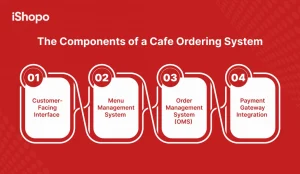
Strong service comes from simple parts that work together. A Cafe Ordering System usually has four core pieces. First, a customer-facing screen where guests browse and pay. Second, a menu tool that keeps items, prices, and modifiers tidy. Third, an order manager that routes tickets to the bar or kitchen and tracks status. Fourth, a safe way to take money and handle refunds. When these parts stay in sync, queues move faster and mistakes drop. Keep one menu and one price list across POS, QR, kiosk, and your cafe online ordering system. That way, guests see the same truth everywhere, and staff do not retype anything.
1. Customer-Facing Interface
This is what guests touch. It can be a counter POS, a kiosk, a QR table menu, or your online cafe ordering system. Keep it fast on budget phones. Use short names, clear photos, and simple modifiers. Show price and ETA before payment. Offer saved addresses and one-tap reorders for regulars. Accessibility matters, so buttons should be large and labels readable. If the front end is clean, people order quicker and ask fewer questions at the counter.
2. Menu Management System
This is the brain behind your items. You create categories, add prices, set taxes, and define modifiers like milk type or extra shots. One change should publish everywhere, including POS, kiosk, QR, and web. Schedule items by time, hide out-of-stock dishes, and set bundles for small upsells. Good menu tools prevent duplicate entries and keep reports clean. Tie the menu to inventory when possible, so 86’d items vanish online in minutes.
3. Order Management System (OMS)
The OMS takes each ticket and sends it to the right station. Espresso to bar. Sandwich to kitchen. It shows states like Accepted, In Progress, and Ready. Modifiers print in bold so baristas do not miss “oat milk.” During rush, throttling controls how many orders enter each window. Drivers or runners see pickup notes and table numbers. A tidy OMS lowers voice calls across the counter and keeps the team focused on prep, not on chasing details.
4. Payment Gateway Integration
Payments must be simple and safe. The gateway encrypts cards and wallets, confirms success, and logs tips and taxes with the order. If a guest cancels, partial refunds use the same path back. Reconciliation should match your POS totals at day end. Support popular methods your customers use, then test a failed payment on purpose. Clear messages reduce panic at the till. When payments just work, lines move and staff trust the system.
Why Are Cafe Ordering Systems Becoming Indispensable?
Queues are shorter when ordering feels easy. Drinks taste better when tickets are clear. A Cafe Ordering System brings both. It helps guests order fast on POS, kiosk, QR, or web, then sends a clean ticket to your bar or kitchen. Payments work, refunds are simple, and ETAs stay honest. For owners, it means fewer errors, faster lines, and cleaner reports. For teams, it means less shouting across the counter and more time making great coffee. As habits shift to mobile, a cafe online ordering system lets people order on the way, pick up on time, and come back more often. The result is calm service in rush hours and steady gains in sales.
For Customers:
People want speed, clarity, and control. A Cafe Ordering System shows real prices, prep times, and options up front. QR and web flows work on basic phones. Saved choices make reorders quick. Status texts reduce wait anxiety. Clear labels help with milk, allergens, and size. When ordering feels simple and fair, guests return. Over time, a light online cafe ordering system builds habit, so your morning regulars tap, pay, and collect without standing in line.
1. Speed and Convenience
Guests want coffee fast. A clean flow lets them scan a QR, choose a drink, pay, and get an ETA in seconds. Regulars reorder with one tap. Fewer queues mean happier mornings. When your Cafe Ordering System removes friction, walkaways drop, and tables turn faster without adding extra staff at the counter.
2. Accuracy
Clear modifiers stop mistakes before they start. Size, milk, sweetness, and temperature show in bold on the ticket or KDS. Baristas follow the same steps every time. No guesswork from scribbled notes. Accuracy protects margins, reduces remakes, and keeps service calm. Guests taste the difference when their order arrives right on the first try.
3. Personalization
People love a drink that feels like theirs. Saved favorites, recent orders, and gentle prompts help guests fine-tune without slowing the line. Offer oat milk, extra shots, or sugar-free syrups as quick add-ons. Over time, patterns reveal who prefers what. You serve faster and still keep each cup personal and consistent.
4. Transparency
Honest screens build trust. Show price, taxes, tips, and prep time before payment. Status messages tell guests when an order is accepted, in progress, and ready. Clear pickup signs finish the loop. With fewer unknowns, customers ask fewer questions and feel in control. That calm experience turns a first visit into a second.
5. Accessibility
Ordering should work for everyone. Large buttons, readable fonts, and a mobile-first layout help on budget phones. Simple flows reduce cognitive load. Allergens and dietary tags stay visible. Voiceover labels and high-contrast options improve access further. When screens are easy to use, guests order confidently and return with friends and family.
For Cafe Owners and Staff:
Busy hours feel calmer when orders flow in cleanly. A Cafe Ordering System routes tickets to the right station, controls intake with throttling, and keeps prices and stock in sync. Staff stop retyping notes and focus on prep. Reports show peak times, bestsellers, and add-ons that lift bill value. That means better staffing plans and smarter offers. With one menu and one truth across POS, QR, kiosk, and web, training is faster and daily admin drops.
1. Increased Efficiency
Front-of-house spends less time taking orders and more time delivering drinks. Self-service flows handle simple items, while staff focus on prep and upsells. Station routing keeps the bar and kitchen balanced. With fewer bottlenecks, managers assign breaks smarter and cover peaks better. Efficiency shows up as shorter lines and steadier revenue.
2. Reduced Errors
Structured choices beat free-text notes. The system forces milk, size, and sweetener selections when needed. Tickets show modifiers in bold and in the right order. Refunds and comps go through the same path, so records stay clean. Fewer errors mean fewer remakes, less waste, and more attention on guests at the counter.
3. Faster Turnaround Times
Prep-time targets, order throttling, and station routing keep work flowing. Baristas see the next ticket the moment the current one moves to Ready. Pickup shelves and clear bin labels speed handoff. When the pipeline stays unblocked, you finish more cups per hour. Guests notice quick service and plan their routines around you.
4. Higher Revenue Potential
Small nudges add up. One-tap add-ons, pastry prompts, and bundle pricing lift average order value. Scheduled orders fill slow half hours between peaks. Online pre-orders reach office groups nearby. When the system makes buying easy and timely, you sell more without pushing hard. Revenue grows through steady, repeatable micro-wins every day.
5. Improved Order Accuracy
Accuracy protects brand trust. Forced modifiers ensure the essentials are chosen. Photos match items. Allergens and decaf warnings show early. Tickets split across bar and kitchen so nothing is missed. With fewer corrections on the pass, staff stay focused on quality and speed. Guests remember consistent results and come back.
6. Data-Driven Decision Making
Dashboards reveal what sells by hour and channel. You see which add-ons lift tickets and which items slow the line. Staffing aligns with real peaks. Limited-time offers target slow periods. Export basic customer data, with consent, to run polite reminders. Data turns hunches into small tests that boost results week after week.
7. Enhanced Customer Experience
Good service feels effortless. Guests see honest ETAs, get status updates, and find their name on a tidy pickup shelf. Baristas greet, not rush. The space sounds calmer because order taking is quieter. When the experience is predictable and warm, people choose your café on busy mornings and recommend it to others.
8. Reduced Overhead
Self-service kiosks and QR ordering handle routine drinks without extra hires. Fewer remakes cut waste. Cleaner reports reduce admin time after close. Training is faster because screens guide choices. Overhead drops as you do more with the same team. Savings can fund better beans, equipment upkeep, or thoughtful staff perks.
9. Upselling Opportunities
Smart prompts appear where they help, not annoy. A croissant with a latte. An extra shot on iced drinks. A small price step to a larger size. The Cafe Ordering System tests these offers quietly and shows what works. Over time, gentle upsells feel natural to guests and lift daily revenue reliably.
How Cafe Ordering System Can Benefit for New and Growing Cafes?
New cafés need simple tools that scale. A modern cafe ordering systems stack lets you launch with fewer front-of-house staff and still serve quickly. From day one, you present a digital-first brand that feels fast and clean. As volume grows, you add channels without rebuilding the base. Costs remain predictable because fees are transparent, not commission-heavy. Pickup and delivery become part of your rhythm, not a separate process. With one menu and one price list, expansion feels like copy-paste, not reinvent. That stability helps you focus on beans, training, and the guest experience.
1. Launch with fewer front-of-house staff
QR and kiosk ordering handle simple drinks and snacks without constant counter time. Staff greet, guide, and hand off, instead of typing. Training is faster because screens lead choices. You open doors with a lean team and still keep lines short. Savings can fund marketing, better beans, or a second grinder.
2. Build a digital-first brand from day one
Guests remember fast, clear flows. A light online cafe ordering system with clean photos and simple names sets that tone. Add a PWA so regulars pin you on their phones. Status texts and tidy pickup shelves reinforce trust. From day one, your café feels modern without feeling cold.
3. Grow without rebuilding your system later
Start with POS and QR. Add kiosk or delivery when ready. Because the stack shares one menu and OMS, you do not reenter items. Reporting stays consistent across channels and locations. Growth is adding outlets, not rebuilding tech. This keeps projects small and predictable, even when you expand.
4. Keep your tech costs predictable
Choose flat software fees over commissions. Payment charges are visible, refunds are simple, and exports are included. End-of-day matches the POS, so no hidden reconciliation costs. Predictable spend means you can plan upgrades, staff raises, or outreach with confidence.
5. Offer pickup and delivery without adding friction
Pickup slots, curbside notes, and clear ETAs keep service smooth. Delivery zones and fees are set once in the admin. Drivers see correct addresses and instructions. Guests get updates when orders are accepted and ready. You extend reach without slowing the counter.
Also Check : Restaurant App vs. Website: What Do You Really Need?
Key Features to Look For in a Cafe Ordering System
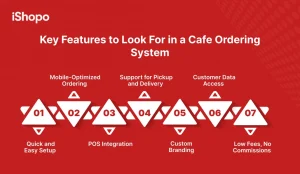
Choose features that solve real problems. You want fast mobile ordering, simple menu control, and clean POS sync. Pickup and delivery should feel native, not bolted on. Branding should match your café, not the vendor. Data access matters because repeat sales come from gentle reminders and smart offers. Fees should be low and transparent, with no commissions on your direct sales. When these features line up, the best mobile ordering system for cafes feels easy to run daily and strong enough to grow with you.
1. Quick and Easy Setup
Import items, set taxes, and go live in days, not months. Templates for common drinks save time. A sandbox helps you test flows without charging cards. Good docs and videos reduce training. Quick setup means you learn faster and launch earlier.
2. Mobile-Optimized Ordering
Most guests order on phones. Pages must load fast. Buttons should be large. Cart and ETA should update in real time. Saved addresses and recent orders help regulars. Mobile-first design turns browsers into buyers.
3. POS Integration
Your POS is the source of truth. Menu, prices, taxes, and stock must sync. Tickets print cleanly, tips map to payroll, and refunds flow both ways. When POS and online match, reports stay honest and staff trust the numbers.
4. Support for Pickup and Delivery
Pickup slots, curbside notes, and honest ETAs reduce crowding. Delivery zones, fees, and driver instructions live in one place. Status texts keep guests in the loop. The online ordering system for cafe should handle both without hacks.
5. Custom Branding
Use your colors, logo, and tone. Keep names short and photos clean. A little personality helps guests remember you. Branded flows feel premium and keep focus on your café, not the vendor.
6. Customer Data Access
Own your list with consent. Export basic customer data to run polite reminders and limited offers. See repeat rates and last-order dates. Data helps you plan without guessing.
7. Low Fees, No Commissions
Direct sales should not pay marketplace commissions. Prefer flat fees and transparent payment rates. No hidden add-ons. Clear pricing keeps margins safe and growth predictable.
Conclusion
Choose simple, then prove it in the rush. A solid Cafe Ordering System turns taps into tickets and tickets into happy handoffs. Keep one menu and one truth across POS, QR, kiosk, and web. Make mobile fast, show honest ETAs, and route work to the right station. Train once, then refine weekly. Use data to nudge average order value, fill slow hours, and plan staffing. Direct channels protect margins. Clear screens protect calm. With the right stack, you pour more coffee, fix fewer mistakes, and grow without rebuilding your tech each season. Launch in days with iShopo and keep every direct order.
Frequently Asked Questions
How Does a Cafe Ordering System Connect to My Existing Setup?
Connections start with the POS. Your menu, prices, taxes, and stock sync from the POS to web, QR, and kiosk. Orders route back to print or KDS with bold modifiers. Payments and tips map to the right ledgers. Refunds flow both ways. If you add delivery, zones and fees live in one admin. Good systems also export basic customer data, with consent. The result is one source of truth, fewer mismatches, and faster day-end close.
Will My Customers Actually Use Cafe Ordering System for Online Orders?
Yes, if it feels faster than the counter. Keep pages light, photos clear, and names short. Show price and ETA before payment. Offer saved addresses and one-tap reorders for regulars. Promote the link on Google and Instagram. Place QR codes at the door and on tables. When the flow is obvious, people adopt it quickly. Over time, online becomes a habit, not a push, especially for morning office runs and quick pickups.
Do I Need a Separate Website to Run an Online Cafe Ordering System?
Not always. Many tools host a branded ordering page you can link from your site, social profiles, and Google Business Profile. If you already have a website, embed or link the cafe online ordering system clearly in the header. What matters is speed, mobile performance, and clear steps. Start hosting if you are new. Move to deeper integration later, without changing how guests order.
How Does this Help Reduce Pressure During Peak Hours?
Peaks feel calmer when order intake and prep stay balanced. Kiosks and QR absorb front-of-house load, while routing sends tickets to the bar and kitchen instantly. Throttling spaces orders to match real capacity. Honest ETAs and status texts reduce counter questions. Pickup shelves keep the queue clear. With fewer manual tasks, staff focus on drinks and quality. The result is steady flow, shorter lines, and more cups out per hour.