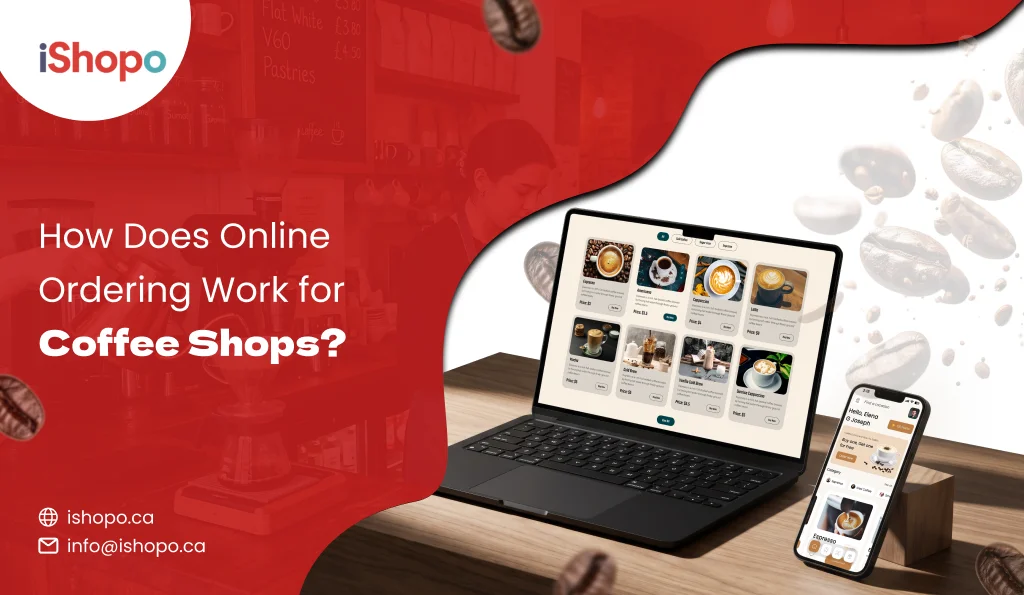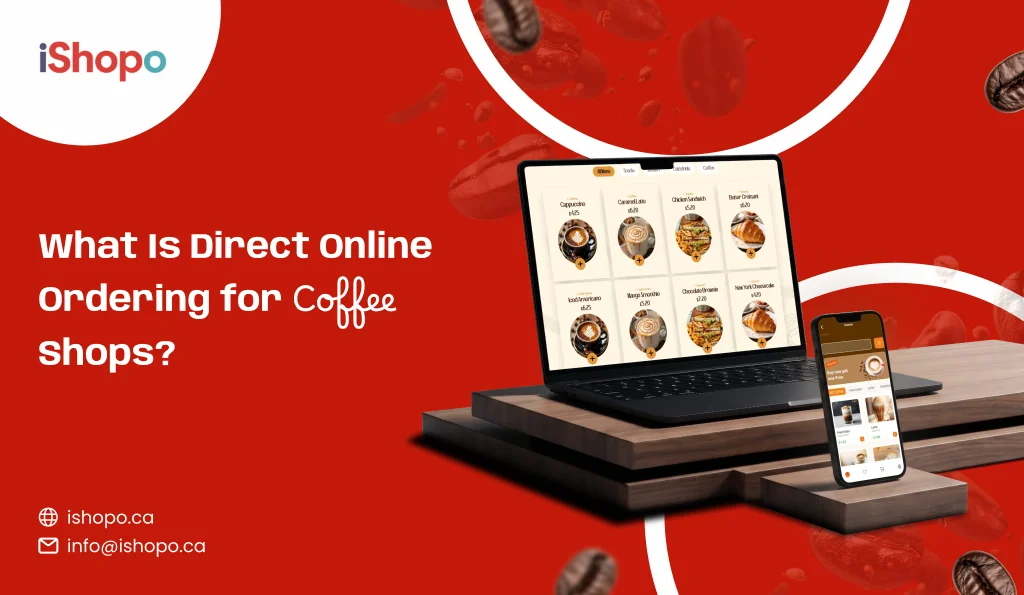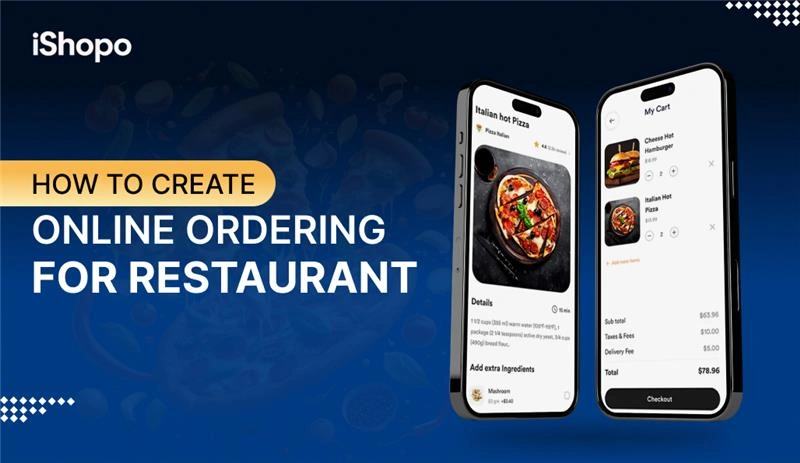

Hungry customer. Five taps. Your menu on their phone. That is the gap an online ordering for restaurant can close.
Why do people order online? For ease, not just discounts. It is seen that 81% of users say convenience is the top reason to use delivery apps. Sense of habit matters too. 19% of consumers order at least weekly, as reported by Rakuten Insight via Statista.
Here is the big margin clue. A study by Sense360 found 63% of diners prefer to order directly from restaurants rather than third-party apps. That means your own site or app can win repeat orders, protect data, and cut commissions.
Your plan is simple. Put a fast mobile site for reach. Nurture loyal guests with an app. Keep checkout short. Show prep times clearly. Use small combos to lift bill value. Train the team for peaks. Start small, then refine weekly.
Do this right and you turn casual traffic into regulars. Fewer phone calls. Fewer errors. More direct orders you actually keep. In this guide, you will see how setup works, what tools to pick, how POS sync fits in, what to test, and how to run online orders day to day.
TL;DR
- Build direct online ordering before anything else.
- Use a website for reach and an app for loyalty.
- Sync menu, prices, and stock with your POS.
- Keep checkout fast, simple, and mobile-first.
- Test real pickups, deliveries, and refunds before launch.
- Promote your direct link on every channel and touchpoint.
- Improve weekly using reports and repeat-rate trends.
Key Points
- Most users choose delivery for convenience.
- About 19% order at least weekly, showing strong habits.
- 63% prefer ordering directly from restaurants, which protects margins.
- Start with clear goals tied to numbers, like raising direct share or AOV.
- Use a fast mobile site for discovery and an app to drive repeats.
- Keep one source of truth by syncing menu, taxes, and stock with the POS.
- Test pickups, deliveries, refunds, and edge cases on real phones before launch.
- Promote your direct link on Google, Instagram, receipts, and QR cards.
- Track direct share, AOV, prep time, repeat rate, and fix one thing each week.
- Add an online ordering for restaurant when loyal users are ready to reorder often.
What is Online Ordering for Restaurant?
An online ordering for restaurant lets customers pick items on a phone or laptop, pay, and get a clear estimated time of arrival. Orders go to your POS or kitchen screen without retyping. It supports pickup, curbside, and delivery. The menu shows sizes, add-ons, and allergen notes. Prices, taxes, and stock stay synced. Guests see status updates by SMS or email. You see reports on sales, peak hours, and repeat buyers. Good systems also store basic customer data with consent, so you can send gentle reminders or offers. The goal is simple. Faster orders, fewer mistakes, and steady repeat sales.
Also Check: Best Restaurant Ordering Systems For Food Businesses
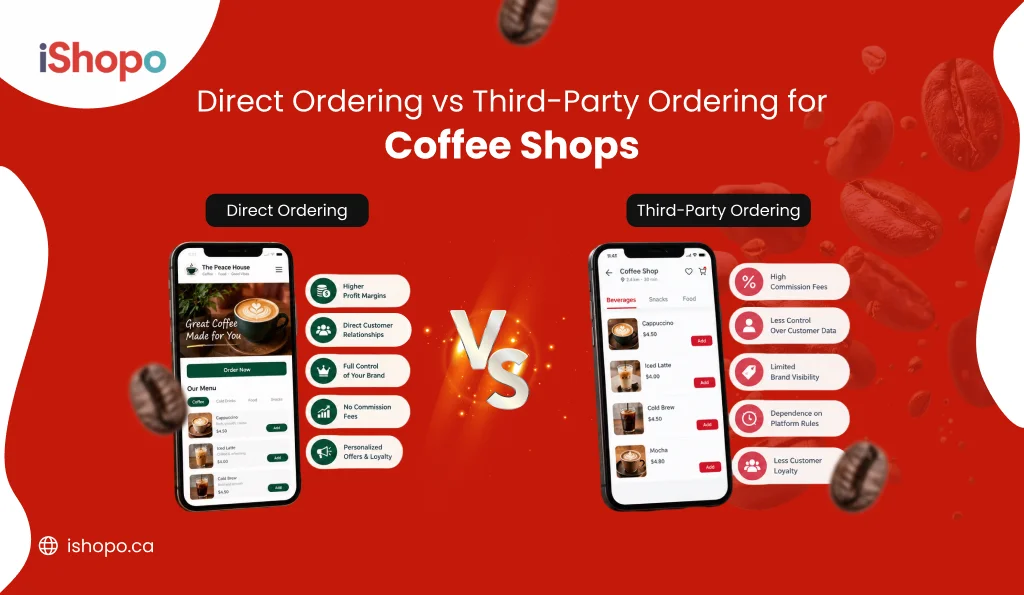
Third-Party Platforms vs. Direct Online Ordering: How to Choose the Right Online Ordering for Restaurant?
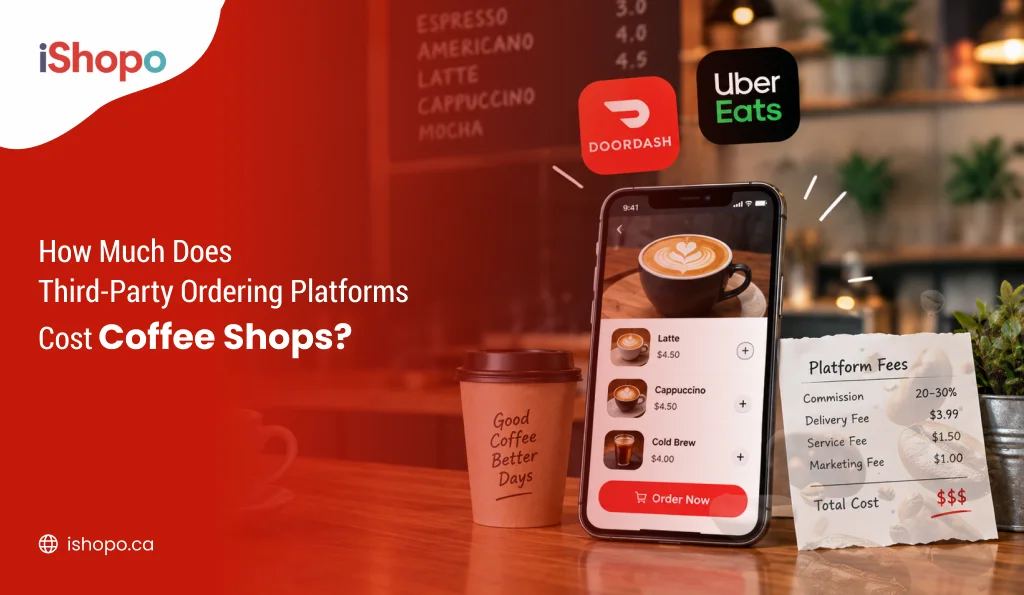
There are two paths. Marketplaces list your café with many others. Direct tools give you your own link or page. Start by naming your goal for the next 90 days. If you need instant reach, a marketplace helps discovery. If you want margins, data, and loyalty, choose direct. Many cafés run both. Use third-party for new traffic, then move guests to your direct online ordering for restaurant with QR cards, Google links, and simple first-order offers. Keep one menu, one price list, and test monthly.
Third-Party Platforms
Large apps where many restaurants and cafés are listed together. Orders come from the app audience, and drivers are usually provided. Setup is quick. You follow their rules for menu, photos, and fees.
Pros:
- Fast discovery from a big customer base.
- Delivery logistics are often included.
- Quick setup with templates and support.
- Useful during launch or slow seasons.
- Promotions can drive short spikes in orders.
Cons:
- High commissions reduce margin.
- Limited access to customer data.
- Menu rules and pricing controls are restricted.
- Competes side by side with rivals.
- Hard to build long-term loyalty inside their app.
Direct Online Ordering
Your own link on the web, QR, or app. You control the menu, prices, branding, and data. Works best for pickup and regulars. Delivery can be in-house or via courier partners.
Pros:
- Better margins with no marketplace commission.
- You own customer data with consent.
- Full control of menu, photos, and offers.
- Faster reorders for loyal guests.
- Easier to test bundles and upsells.
Cons:
- You must drive traffic to your link.
- Delivery setup may need extra work.
- Fewer impulse orders at the start.
- Requires basic marketing on Google and Instagram.
- You handle support and refunds directly.
How to Create an Online Food Ordering System For Restaurant?
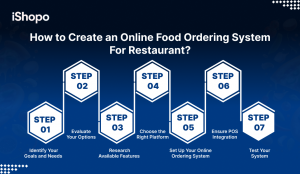
Start with goals. Decide what you want in 60–90 days. Faster lines, higher ticket size, or fewer errors. Pick a stack you can run daily. Website for reach. App for loyalty. Choose a vendor that syncs with your POS. Build one clean menu with short names, clear photos, and simple modifiers. Set taxes, tips, prep times, and pickup slots. Turn on secure payments and refunds. Test ten real orders on budget phones. One refund. One scheduled pickup. Fix what breaks, then soft-launch for two days. Add your direct link to Google, Instagram, and table QR. Offer a first-order code for pickup. Track direct share, average order value, prep time, and repeat rate. Improve one thing each week. Do this and your online food ordering system for restaurant becomes steady, simple, and ready to scale.
Step 1: Identify Your Goals and Needs
Start with outcomes. Not features. Write 3 to 5 goals your team can hit in weeks, not months. Keep each goal specific and tied to a number. For example, grow direct orders to 40%, lift average order value by $3, or cut phone calls by half. Match every goal to a need in your online ordering for restaurant and on your site. If your aim is sales, you need fast checkout, saved addresses, and simple reorders. If your aim is speed, you need prep-time control, order throttling, and clear kitchen tickets. For loyalty, add points, bundles, and SMS updates. Use your POS as the single source of truth, then mirror the same menu in your online restaurant ordering app. Put the plan on one page. Review it every Friday. Keep what works. Drop what does not.
Examples you can use:
- Grow direct orders from 20% to 50% in 90 days.
- Cut phone orders by 60% in 4 weeks.
- Lift average order value from $14 to $18 with combos.
- Hit 95% on-time pickups during dinner hours.
- Get 500 repeat users on your own list in 60 days.
Now the map needs goals.
If the goal is higher direct sales:
- Simple mobile checkout in under 60 seconds.
- Saved addresses and one-tap reorders.
- Coupons for pickup and curbside.
If the goal is faster kitchen flow:
- Order throttling and prep-time control.
- KDS or clear tickets with bold modifiers.
- Cut custom notes, use structured add-ons.
If the goal is loyal users:
- Push or SMS for order status and deals.
- Points, bundles, and limited-time boxes.
- Clean data export for email and WhatsApp.
Write it down in one page.
One-page goal sheet:
- Target: what number by when.
- Menu plan: bestsellers, bundles, add-ons.
- Ops rules: hours, slots, throttle limits.
- Metrics: direct share, AOV, prep time, repeat rate.
- Owner: who tracks weekly.
Use your POS as the single source of truth. Then set up your restaurant online ordering app and website to match that data. Keep the list visible in the kitchen and office. Review it every Friday. Keep only what works.
Step 2: Evaluate Your Options
Choose the path that fits your goals and budget. Do not chase features you will not use. For most brands, you will compare four options: website-first, POS add-on, all-in-one platform, and marketplace listing. Start with your current tools. Then check costs, control, and speed to launch. If repeat orders matter, keep direct channels first. An online ordering for restaurant helps with loyalty and reorders. A fast mobile website helps with reach and SEO.
Option 1: Website-first
Own a website that loads fast on any phone. No download needed. Control domain, payments, taxes, and SEO. Add a PWA so guests save it like an app. Perfect for pickup and delivery. Start small, then scale. Pair later with a restaurant online ordering app for loyalty and reorders easily.
Option 2: POS add-on
Extend your existing POS with its native online ordering module. Setup is simpler. Menu, prices, taxes, and inventory stay in sync. Kitchen tickets print correctly. Refunds flow both ways. You move at the vendor’s pace. Good for one brand. Add an online ordering app for restaurants when ready for loyalty.
Option 3: All-in-one platform
Choose a hosted platform with menu builder, payments, coupons, analytics, and basic CRM. Launch quickly. Support helps setup. Costs are clear. Check export options for customers and menu. Ensure POS integration or solid APIs. Scales to multiple outlets. Later, pair with a restaurant online order app for deeper engagement too.
Option 4: Marketplace
List of marketplaces for discovery and surge demand. Useful when starting out. Orders come fast, but fees bite margins. You do not own customer data. Menu rules are strict. Treat it as a channel, not home. Always promote your direct link and restaurant online ordering app on packaging and receipts.
Step 3: Research Available Features
List the features that match your goals. Do not chase shiny tools. Start with must-haves for a clean flow on your site and online ordering for restaurant. Keep things simple for guests and staff. Test each item with two or three trial orders before you decide.
Must-have features
- Menu builder with categories, modifiers, and combos.
- Prep-time control, order throttling, and time slots.
- Pickup, curbside, delivery zones, and scheduled orders.
- Secure payments, refunds, tips, taxes, and receipts.
- Address capture with distance checks and fees.
- Order tracking with SMS or WhatsApp updates.
- Basic CRM: coupons, points, gift cards, and reorders.
- Reports: items sold, average order value, repeat rate.
Nice to have
- QR table ordering and KDS support.
- Multi-location roles and inventory sync.
- PWA “add to home screen” and push alerts.
- Loyalty tiers and targeted offers.
How to vet in a trial
- Place 10 mixed orders. One large. One scheduled. One refund.
- Check ticket print layout and bold modifiers in the kitchen.
- Confirm tax rounding, tips, and partial refunds.
- Export customers and menu. Mirror the same in your restaurant online ordering app.
Step 4: Choose the Right Platform
Match the tool to your goals, not the logo. Start with a short list of three. Run trials, place test orders, and compare setup effort, control, and costs. If you want to reach, pick a website-first stack. If you want loyalty, add an online ordering for restaurant. For chains, check multi-location and roles.
Score each option on:
- Control: Can you edit menu, fees, and refunds anytime.
- Data: Do you own customer emails and order history.
- Speed: How fast is checkout on a basic phone.
- Integrations: Clean POS sync, KDS, and accounting.
- Costs: Fixed fee, payment charges, and hidden add-ons.
- Export: One-click export of menu and customers.
Trial plan (1 week):
- Day 1–2: Import menu, taxes, and hours.
- Day 3–4: Place 12 test orders, including one refund.
- Day 5: Verify kitchen tickets and prep times.
- Day 6: Check reports, coupons, and reorder flow.
- Day 7: Decide. Keep the fastest, simplest, most transparent choice for your online restaurant ordering app and website.
Step 5: Set Up Your Online Ordering System
Keep setup tight and simple. Do the basics first, then refine. Start with one location, one menu, and clear hours. Mirror the same data on your website and your online ordering for restaurant so guests see one truth everywhere.
Account and basics
- Add store name, address, phone, tax, and time zone.
- Set business hours, prep times, holidays, and order cutoffs.
- Turn on pickup first. Add delivery zones later.
Menu and pricing
- Create short categories: Starters, Mains, Sides, Drinks.
- Add clean photos, one-line descriptions, allergen tags.
- Build modifiers: spice level, extra cheese, gluten-free base.
- Make 2–3 bundles for families and office lunches.
Payments and policies
- Enable cards, UPI/wallets, and tips.
- Test tax rounding on two cheap items and a combo.
- Set refund rules and order throttling for peak hours.
Order flow
- Pick your order screen. KDS or printed tickets.
- Set SMS or WhatsApp updates for accepted, ready, and out-for-delivery.
- Send a test email receipt and check item lines.
Launch quietly for two days. Collect feedback. Fix what hurts, then announce widely.
Step 6: Ensure POS Integration
Make your POS the single source of truth. Prices, taxes, and stock should live there first. Then they should mirror your website and your online ordering for restaurant. This keeps orders clean and your team calm. Start with a simple map. One POS item equals one online item. Match every modifier. Size, spice, sides, and extras. Align tax rules and tips. Set prep times and throttle limits the same in both. Route kitchen tickets to the right station. Grill, fryer, or bar. Test refunds both ways. Try a partial and a full void. Check that 86’d items hide online within two minutes. Confirm SMS or push updates fire when status changes. Accepted, cooking, ready, out for delivery. Close the day and match totals to the dollar. If something breaks, fix the mapping, not the symptom. When POS and online stay in lockstep, service feels smooth and reports stay honest.
Map the basics
- One product in POS equals one product online.
- Match modifiers exactly. Size, spice, extra cheese.
- Align taxes, tips, discounts, and rounding rules.
- Mirror store hours, prep times, and order throttling.
Kitchen flow
- Send items to the right stations. Grill, fryer, bar.
- Print clear tickets with bold modifiers.
- Or use a KDS with color states. Accepted, cooking, ready.
Inventory and 86
- Reduce stock in POS on order acceptance.
- Auto-hide 86’d items online within 1–2 minutes.
- Block orders when a category hits zero.
Payments and refunds
- Set tender types the same across systems.
- Test partial refunds and full voids.
- Confirm tips export to payroll reports.
Status and alerts
- Map statuses both ways. Accepted, in progress, ready, dispatched, completed.
- Trigger SMS or push from the POS when status changes in the online ordering for restaurant.
Validation tests
- Small cart, large cart, combo with modifiers.
- Scheduled order. Curbside order. Distant delivery.
- Failed payment, then retry.
- Day-end close: totals, taxes, tips match to the dollar.
If anything fails, fix the mapping, not the symptom. When POS and online stay in lockstep, service feels smooth and reports stay honest.
Step 7: Test Your System
Run a soft opening before you go live. Place real orders from real phones, not just the admin panel. Start with a small script: five pickups, three deliveries, two curbside. Include one large cart, one scheduled order, and one refund. Time every step. Menu load, cart build, payment, receipt, ETA, and status alerts. Watch the kitchen too. Do tickets print clearly. Do modifiers show in bold. Does the KDS move from accepted to ready without confusion? Break edge cases on purpose. 86 an item mid-session. Try an address outside the zone. Force a failed payment, then retry. Check totals against the POS at day end. Fix issues the same day and retest. When this passes, your website and online ordering for restaurant are ready for a quiet two-day soft launch.
Also Check: How to Set Up an Online Ordering System for Your Restaurant
What are the Key Features of an Online Food Ordering System?
Start with features that keep service smooth for guests and staff. Your menu should be easy to scan, with short names, clean photos, and clear modifiers. Checkout must work well on small screens and slow data. Payments should be secure and quick. Orders must reach the kitchen without manual fixes. Reports should explain what sold and when. Tie everything to your POS so prices, stock, and taxes match. Add a simple CRM to bring people back. When your website and app share one truth, mistakes drop and repeat orders grow.
Core features to look for:
- Menu builder with categories, combos, and modifiers.
- Mobile-first checkout, saved addresses, reorders.
- Pickup, curbside, delivery zones, scheduled orders.
- Prep-time control, slots, order throttling.
- Secure payments, tips, tax, refunds, receipts.
- Real-time tracking by SMS or WhatsApp.
- POS integration, KDS or clear tickets, inventory sync.
- Coupons, points, gift cards, customer profiles.
- Reports on items sold, AOV, repeat rate, peak hours.
What are the Benefits of Having an Online Food Ordering System for Restaurant?
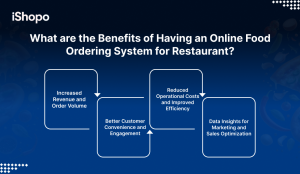
A good system pays for itself fast. More people order without calling. Fewer errors reach the kitchen. Guests get clear ETAs and live status. You keep control of the menu, fees, and data. Over time, you see what sells, when to staff up, and which offers drive repeats. A restaurant online ordering app builds habit and quick reorders, while your site brings reach and new guests.
1. Increased Revenue and Order Volume
Online makes it easy to order again. Dinner lines shrink, but ticket counts rise. Bundles and add-ons lift average order value by a few dollars. Scheduled orders fill weak hours. Delivery zones open new neighborhoods. With direct links on Google and Instagram, more people choose you first. Small gains stack up week after week.
2. Better Customer Convenience and Engagement
Guests want speed and clarity. A mobile-first menu, one-tap reorders, and saved addresses make that happen. Live status by SMS or WhatsApp reduces “where is my order” calls. Push or email helps share new boxes and limited-time offers. Keeping your brand on the home screen improves loyalty and repeat behavior over time.
3. Reduced Operational Costs and Improved Efficiency
Fewer phone orders mean fewer mistakes. Orders land in the POS or KDS with clean modifiers. Prep-time control and throttling keep the kitchen calm. Out-of-stock items hide in minutes, so staff does not scramble. Drivers get correct addresses and fees. You spend less time fixing tickets and more time serving hot food on time.
4. Data Insights for Marketing and Sales Optimization
Your dashboard shows what sells by hour, day, and season. You can spot trending items, slow movers, and best add-ons. Run a small pickup offer on rainy days. Send a reminder to guests who have not ordered in 30 days. Track repeat rate and average order value. Keep the offers that move the needle.
How to Prepare For Online Orders?
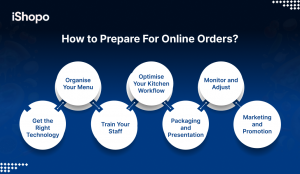
Set a clear goal, then build simple routines. Start with the tech, the menu, and the team. Keep one source of truth in your POS, then mirror it on your website and app. Make the cart fast on mobile. Keep names short. Add honest prep times. Set pickup shelves and clear signs. Train the team on one screen for accepting and updating tickets. Test ten real orders on budget phones. Fix what hurts, then run a two-day soft launch. Share your direct link on Google and Instagram. Track direct share, average order value, and on-time rate. Improve one thing every week so your online food ordering system stays calm during rush.
1. Get the Right Technology
Pick tools your team can run daily. Choose a POS that syncs prices, taxes, and stock to your website and app. Add a KDS or clear printer tickets. Ensure payments support cards, wallets, and refunds. Test a failed payment once to see the message guests get. Keep pages light for budget Android phones. Ask vendors for export options so your data stays yours. A simple, connected stack saves minutes on every order and keeps reports honest at close.
2. Organise Your Menu
Shorten names, trim choices, and group items by how people decide. Use five to seven main categories. Put bestsellers first. Add clean photos and one-line descriptions. Force key modifiers like size and milk type. Create two or three bundles for families or office orders. Hide slow dishes at peak time. Set prep times by category so ETAs feel real. A tidy menu reduces questions, speeds checkout, and lifts average order value with quick add-ons.
3. Train Your Staff
Run a 30-minute drill with live test orders. One person accepts and updates tickets. One person makes drinks or food. One person handles handoff. Show how to 86 an item, process a partial refund, and reprint a ticket. Keep a cheat sheet near the KDS with modifier rules. Practice status changes so SMS or screen updates feel natural. When everyone knows the same simple steps, service stays calm even when the queue grows.
4. Optimise Your Kitchen Workflow
Map stations to tickets. Espresso to bar, sandwiches to kitchen, pastries to a warm pass. Place printers or KDS screens where hands already move. Use clear labels and color states like Accepted, Cooking, Ready. Pre-portion popular items before peaks. Throttle intake when stations hit capacity. Keep the pickup shelf near the door with A-to-Z name markers. A smooth path from ticket to handoff removes shouting and saves seconds on every order.
5. Packaging and Presentation
Choose cups, lids, and containers that travel well. Use vented lids for hot food. Keep sauces in sealed cups. Add a small label with the guest name, items, and key modifiers like oat milk or extra shot. Separate hot and cold in the bag. Put fragile items on top. A thank-you note or a QR to your direct link helps loyalty. Neat packaging protects heat, texture, and brand trust when food leaves your counter.
6. Monitor and Adjust
Track five numbers weekly. Direct order share, average order value, prep time, on-time rate, and refund rate. Read three reviews to spot patterns. Change one thing at a time. A new hero photo. A tighter bundle. Fewer fields at checkout. Re-test after each change. Keep what works, drop what does not. Small steady edits keep the flow fast and the team confident during busy hours.
7. Marketing and Promotion
Make your direct link easy to find. Add it to Google Business Profile, Instagram bio, and your website header. Print QR codes on bags, receipts, and table tents. Offer a first-order pickup code for week one. Post honest ETAs and behind-the-counter shots to build trust. Tell marketplace customers about your direct link with a small insert card. Simple, repeatable messages move guests from apps to your own channel over time.
Also Check: How to Build an Online Ordering System That Works
Conclusion
Start simple. One menu, one flow, one owner. Get your site fast on mobile. Add clean photos and short names. Map items to the POS and test with real orders. Fix small gaps every week. Share your direct link on Google, Instagram, and packaging. Use bundles to lift ticket size. Hide slow dishes at peak time. Send clear status texts so guests feel in control. Track the basics: direct share, AOV, prep time, repeat rate. Keep what works, drop what does not. As habits form, add an online ordering for restaurant for loyal users who reorder often. This mix gives you reach and repeat. Less phone time. Fewer errors. More orders you actually keep, month after month. Try iShopo to launch direct ordering in days.
Frequently Asked Questions
Do restaurants prefer online orders?
Yes. Most restaurants want more online orders because they reduce phone time, cut errors, and boost repeat sales. Many diners also prefer to order directly from the restaurant, which helps margins and data control.
What is the online ordering process?
A guest picks items on your site or app, chooses pickup or delivery, pays, and gets an ETA. The order goes to your POS or KDS. The kitchen prepares it, then you notify the guest when it is ready or out for delivery.
How does online ordering work for restaurants day to day?
Your menu lives on a mobile site or app. Orders appear on one screen. Staff accepts, prepares, and updates status. Tickets print or show on a KDS. Payments and refunds sync with the POS. Reports show sales, items, and timings.
Which model is best for an online food ordering system?
Use a mix. Website-first for reach and SEO. Add an app for loyalty and reorders. Keep marketplaces as a discovery channel only. Push guests to your direct link to save commissions and own customer data.
What is the best online ordering system for restaurants?
The best one fits your goals, budget, and POS. Look for fast mobile checkout, clean POS sync, order throttling, delivery zones, and simple CRM. Always demand export of menu and customer data. Run trials and place real test orders.
How much does it cost to build an online ordering setup?
Costs vary by country and vendor. Expect monthly software fees, payment gateway charges, and one-time setup time. Start with a website plan, then add a restaurant online ordering app when repeat orders grow.
What are must-have features to start?
Mobile-first menu, clear photos, modifiers, secure payments, refunds, tips, delivery zones, order throttling, SMS updates, and POS integration. Add bundles, coupons, and simple loyalty once the basics are stable.
How do I reduce failed orders and kitchen errors?
Map items 1-to-1 with the POS. Keep names short. Use structured modifiers. Hide out-of-stock items quickly. Test partial refunds. Print bold modifiers or use a KDS with clear states.
How do I promote direct ordering?
Add your order link to Google Business Profile, Instagram bio, and website header. Print QR codes on bags and receipts. Offer first-order pickup codes. Tell marketplace customers about your direct channel with a small insert card.
How do I measure success?
Track direct order share, average order value, prep time, on-time rate, repeat rate at 30/60/90 days, and refund rate. Change one thing per week and keep what moves the numbers.