
To set up online ordering for a coffee shop, you need four things. An ordering system that doesn’t take a cut of every sale. A menu that lets people pick their size, milk, and extras. Payments and sales tax set up the right way for Canada. And a plan for pickup when the morning rush hits. Most cafés can take their first online order within a few days.
Coffee is where it gets tricky.
A burger place might have 30 things on the menu. A café might have 12 drinks. But once people add oat milk, vanilla, and an extra shot, those 12 drinks turn into hundreds of different orders. This guide walks through how to handle that, with Canadian tax rules and real dollar amounts.
Quick Answer
- What it is: Online ordering lets customers order and pay for coffee from their phone, then pick it up without standing in line.
- Who it’s for: Coffee shop owners in Canada who want customers to order ahead without paying 15% to 30% of each sale to delivery apps.
- When to use it: When people leave because the morning line is too long, when regulars ask if they can order ahead, or when app fees are eating your profit.
TL;DR
- Choose an ordering system that charges a monthly fee, not a cut of every sale.
- Build your drink menu so people can pick their size, milk, and extras in a few taps.
- Set up GST or HST the Canadian way, with bags of beans taxed separately from drinks.
- Start with pickup only, and limit how many orders come in during the morning rush.
- Let a few regulars test it for a week before you tell everyone.
- Most cafés can take their first online order within a few days.
Key Takeaways
- Delivery apps often take 15% to 30% of each order. At 30 orders a day, that can add up to about $36,800 a year leaving your café.
- Coffee menus need the most setup work. Give every drink a default size and milk so people can order fast, and charge for extras like oat milk or an extra shot.
- Drinks you make are taxed, but bags of beans usually aren’t. In Ontario, orders of $4 or less only carry the 5% GST.
- Start with pickup. Drinks stay hot, and your team gets used to online orders before you add delivery.
- Cap how many online orders you take every 15 minutes during the rush. Make drinks by pickup time, not by when the order came in.
- Online ordering won’t promote itself. Put a QR code on cups and receipts, add the link to your Google listing, and turn your paper punch card into points customers collect online.
- iShopo charges no cut per order. Plans start at $99 a month per location, and it connects to Square, Clover, Toast, and Lightspeed.
What Is an Online Ordering System?
An online ordering system is a simple way for customers to order from you on their phone or computer. They pick what they want and pay. The order pops up on a tablet or prints out behind your counter. Your coffee makes it, and the customer picks it up.
For most coffee shops, this means ordering ahead. Someone on the bus orders a large oat latte at 7:40. At 7:50, they walk in and grab it off a shelf.
There are two ways to do this. Delivery apps like SkipTheDishes, Uber Eats, and DoorDash list your café next to every other café in town, and they take a cut of every order. Or you can use your own online ordering system on your own website. You pay one monthly fee and the customer stays yours.
Key Benefits of Online Ordering for Coffee Shops
More sales is the obvious win. The bigger one shows up behind your counter at 8 am.
Shorter Lines
Every person who orders ahead is one less person at the till. They walk in, find their name on the shelf, and leave.
Walk-bys count too. Some people see a long line at 8:05 and keep walking to the next café. Ordering ahead gives them a reason to stop at yours.
Fewer Errors
“Half-sweet oat flat white, extra hot.” Now try hearing that over the grinder.
When customers type their own order, it prints out exactly how they wanted it. Nobody mishears. Nobody squints at a name scribbled on a cup.
Labor Relief
Taking orders and payments eats up a lot of your staff’s time. When orders come in already paid, the person on cash can help make drinks or restock the pastry case instead. On a short-staffed day, that feels like an extra pair of hands.
Higher Spending
At the counter, a rushed customer orders a coffee and goes. Online, they see a photo of your almond croissant right there, and adding it takes one tap.
You can also suggest things at checkout. A muffin with a drip coffee. A second drink for a coworker.
Valuable Data
You still know what sold. Online ordering also tells you who bought it. You’ll know that Sarah gets a medium oat cortado three times a week. You’ll also see which days are slow and which drinks hardly anyone orders.
Dynamic Menus
Ran out of oat milk at 10 am? Hide it in a few seconds. Starting a maple latte in October? Add it in the morning and people can order it by lunch. You can’t do that with a printed menu board.
How to Set Up Online Ordering for a Coffee Shop
Six steps, start to finish. Most cafés wrap up in less than a week, and most of that time goes into the menu and practice runs with staff.
1. Create your account and complete the initial setup
Start with the basics. Your café name, address, phone number, and how people can get their order (pickup, curbside, or delivery).
Set your online ordering hours apart from your store hours. If you close at 4 pm, stop online orders at 3:45. That gives your team time to finish up without a last-minute pile of drinks.
Do you already ring up sales with Square, Clover, Toast, or Lightspeed? Connect it now. With a Square connection or one like it, your menu and prices come over on their own, so you don’t have to type everything twice.
2. Define your menu, modifiers, and item groups
This step makes or breaks a coffee menu online.
Start by splitting your menu into sections. Something like Espresso Drinks, Brewed Coffee, Tea, Cold Drinks, Bakery, and Bags of Beans. Six or seven sections is plenty.
Next, set up the choices people make on each drink. Most ordering systems call these “modifiers.” A latte might have:
- Size: Customers have to pick one. Small, medium, or large.
- Milk: Also a must-pick. Start them on 2%, with oat, almond, and soy as other choices.
- Extra shots: Optional, with a price for each one.
- Syrups: Optional. Set a limit, like three pumps max.
- Temperature: Optional. Extra hot, kids’ temp, or iced.
Pick a starting choice for each one so people can order fast without tapping through every option. And charge for extras that cost you more. If oat milk costs you more, add something like 80 cents for it. Free extras add up fast when you make 200 drinks a day.
Pastries need a little extra care. Add photos and mark the items that sell out early. If you can, set how many of each you have per day. If baked goods are a big part of your sales, see how an online bakery ordering system handles daily limits and orders placed a day ahead.
Last, set how long each item takes to make. A drip coffee might take two minutes. A blended drink might take six. The system uses these times to tell customers when their order will be ready.
3. Configure payments, taxes, and delivery zones
Connect the company that handles your card payments so you can take cards, Apple Pay, and Google Pay. Then set up sales tax by type of item, because in Canada a latte and a bag of beans aren’t taxed the same way. If you plan to deliver, draw a small area around your shop on the map.
We go through Canadian tax and tipping in more detail further down.
4. Establish your order workflow and train your team
Pick where online orders will show up. A tablet, a ticket printer, or a sticker printer that prints a label for each cup. Then decide who keeps an eye on it during each shift.
Walk your team through it from start to finish. An order comes in. Someone accepts it. The drink gets made and goes on the pickup shelf. More on this below.
5. Customize your branding and domain
Add your logo and a few real photos of your drinks. Then set up your own web address for ordering, like order.yourcafe.ca. That gives you one easy link to share everywhere.
6. Launch with a controlled rollout and refine
Don’t tell the whole city on day one. Let staff and a few regulars use it for a week first. Watch for slow orders and drinks that come out wrong. Fix what’s broken. Then tell everyone.
What You Need Before You Set Up Online Ordering for a Coffee Shop
A bit of homework makes the setup go much faster. Before you sign up for anything, sort out these four things.
1. How people will get their order. Most coffee shops should start with pickup. It’s simple, and drinks stay hot. Add curbside if you have parking out front. Only add delivery if you can keep it close by. Also think about office orders. Businesses often order boxes of coffee and trays of pastries for meetings, usually a day ahead. If pickup will be most of your online orders, an online takeaway ordering system is built around how that works.
2. Your busiest hours. Look back at last month’s sales and find your busiest half hour. For most cafés, it’s somewhere between 7:30 and 9 am. You’ll need this later to stop too many online orders from landing at once.
3. Photos of your menu. You don’t need a photographer. A phone and a sunny window will do. Shoot the cup from a little above. Start with your 15 best sellers and add the rest later.
4. How you take payments. If you already take cards in your shop, check whether your new ordering system works with the company you use now. If not, find out how long it takes to get approved somewhere new. Sometimes that’s the slowest part of the whole setup.
Why Coffee Shops Should Skip the Delivery Apps for Online Orders
Delivery apps are good at one thing. Getting you in front of people who’ve never heard of you. For a coffee shop, that’s not where most of the money comes from.
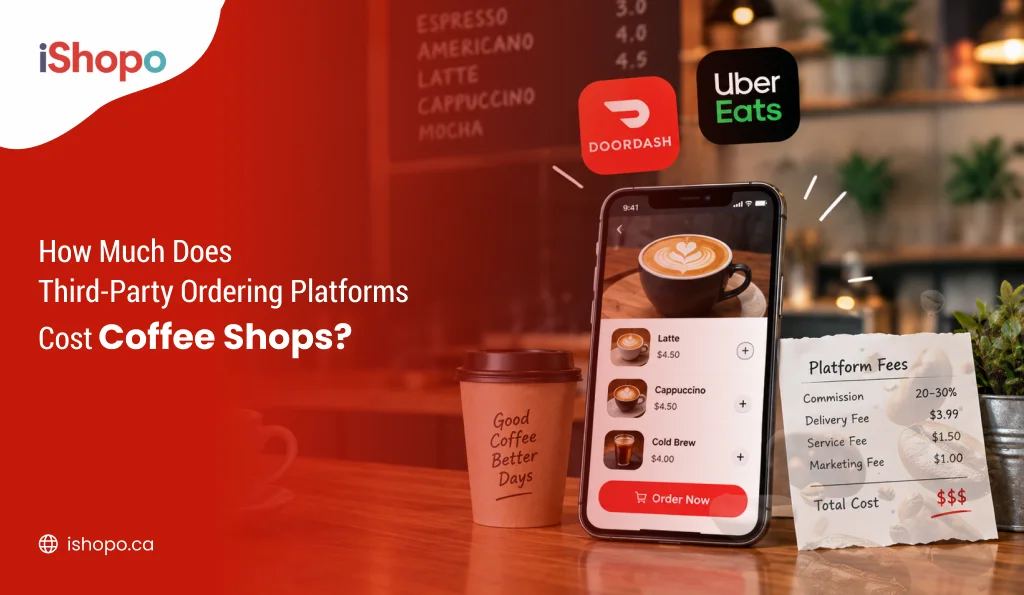
Do the math in one order. Delivery apps in Canada often take somewhere between 15% and 30% of each order. Say someone orders two oat lattes and a muffin for $14.50 through SkipTheDishes or Uber Eats, and the app takes 28%. That’s $4.06 gone. Coffee doesn’t leave you much profit to begin with, so a cut that size can wipe out most of what you’d make on the order.
Now picture that every day. Thirty orders a day, at about $12 each, with a 28% cut, comes to $100.80 a day. Over a year, that’s about $36,792 going to the app instead of your café.
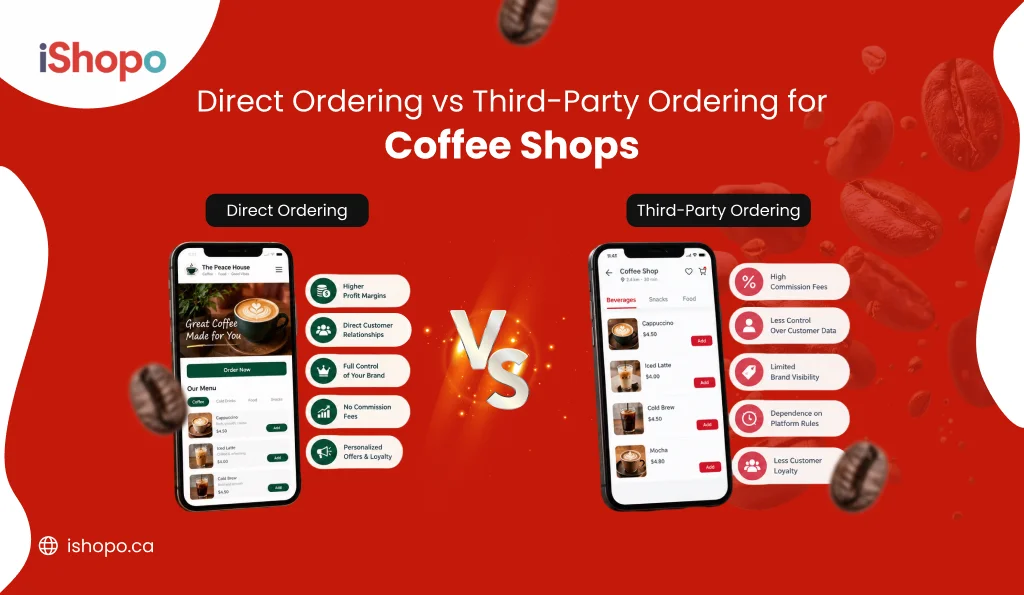
| Delivery Apps (SkipTheDishes, Uber Eats, DoorDash) | Your Own Online Ordering | |
| What you pay | A cut of every order, often 15% to 30% | One monthly fee, no cut per order |
| Customer names and history | The app keeps most of it | You keep all of it |
| How your café looks | Listed next to other cafés | Your logo, colours, and web address |
| Menu prices | Often raised to cover the fees | You decide |
| Best for | Getting found by new people | Regulars and ordering ahead |
The bigger loss is your regulars. Coffee is a habit. Your best customer might come in four times a week. On a delivery app, you never learn their name or email, and you can’t send them a free drink for their birthday. The app can, though. And it can show them another café while it’s at it.
There’s also the coffee itself. A latte that sits in a delivery bag for 25 minutes isn’t the latte you made.
You don’t have to quit the apps tomorrow. Many cafés keep them for new customers, then use cup stickers and a rewards offer to move regulars over to their own coffee shop ordering app. Every regular you move is one less order with a cut taken off the top.
Setting Up Payments, Taxes, and Tips in Canada
Most guides skip this part. They’re written for American shops.
Let’s start with payments. At a minimum, customers should be able to pay with credit cards, Apple Pay, and Google Pay. Many Canadians pay with debit, so ask your payment company if customers can use debit online too. Card fees still apply on your own orders, usually a few percent per sale. Far less than an app’s cut. Not zero, though.
Now taxes, and the rule that catches coffee shops off guard. Drinks you make are taxed. A latte or an iced tea gets GST or HST. But a bag of whole beans or ground coffee usually has no GST or HST at all, the same as at the grocery store. The Canada Revenue Agency treats it as a basic grocery. So if you sell bags of beans online, set them up with their own tax setting. Don’t let them get taxed like your drinks.
The rate depends on your province:
- Alberta: 5% GST only.
- Ontario: 13% HST.
- Nova Scotia: 14% HST.
- New Brunswick, Newfoundland and Labrador, and PEI: 15% HST.
- Quebec: 5% GST plus 9.975% QST.
- BC, Saskatchewan, and Manitoba: Each has its own provincial sales tax rules for food and drinks, so check how they apply to your menu.
Ontario has one more rule worth knowing. When an order of food and drinks is $4 or less, Ontario drops its part of the HST. So a $3 drip coffee may only have the 5% GST on it. Ask whether your ordering system handles that.
Tax rules change, and every business is a little different. Check your setup with your accountant before you start taking orders.
Then there’s tipping. Add a tip option at checkout. Keep the choices simple, and always include “no tip” or “other amount” so nobody feels pushed. Decide how online tips get split among your team before the first one comes in. It saves an awkward talk later.
Finally, test it. Before you go live, place a real order with your own card. Check the tax line on the receipt. Then refund it, so you know refunds work too.
Branding Your Coffee Shop’s Online Ordering Page
Your ordering page should feel like your café. Not like filling out a form at the bank.
Use your logo and your colours. Write drink descriptions the way you’d write them on your chalkboard. “Our house blend, chocolatey and smooth” tells people a lot more than “Coffee, 12 oz.” And use photos of your drinks in your cups.
Get your own web address for ordering. A .ca address like order.yourcafe.ca shows people you’re local and gives you one link to share everywhere. If you already have a website, put an “Order Online” button at the top of every page. No website yet? A simple restaurant website can hold your menu and online ordering in one spot.
Running a café in Quebec? Plan for French from day one. Quebec’s language law says things like menus and ordering pages need to be available in French. Add French drink names and descriptions now so you’re not redoing your whole menu later.
Launching and Promoting Online Ordering for Your Coffee Shop
Online ordering won’t bring in orders on its own. You have to tell people about it. Then tell them again.
Start small. Invite staff and 10 or 15 regulars to try it for a week, then ask what confused them. You’ll hear things like “I couldn’t find decaf” that never come up when you test it yourself.
After that, put your ordering link everywhere customers already look. Print a QR code on cup sleeves, stickers, receipts, and a sign by the till. QR code ordering works well for cafés, because people are already holding your cup when they see it. Add your link to your Google listing, so people can order right from a search. Put it in your Instagram profile, and share it in your stories every time you add a new drink.
Got a paper punch card? Turn “buy 9, get the 10th free” into points they collect online. Same deal for your customers, and nobody loses their card in the wash. Tell regulars their stamps carry over when they switch.
Don’t forget your staff. A quick “you can order ahead next time, here’s how” at the counter often works better than any ad.
In the first week, keep an eye on three things. How long people wait at pickup. How many drinks come out wrong. And what people ask for that isn’t on the menu. Fix one thing a day.
Common Mistakes When Coffee Shops Set Up Online Ordering
Most cafés run into the same few problems. All of them are easy to avoid if you know about them ahead of time.
The first is giving people too many choices. It’s tempting to put all 14 syrups and five kinds of milk online because you offer them in the shop. But a long list slows people down, and you end up with odd drinks your team has to stop and figure out. Start with your most popular choices and add more if people ask.
Getting the tax wrong is the second. Some cafés charge the same tax on everything, which means charging GST on bags of beans that shouldn’t have any. Others forget Ontario’s rule for orders of $4 or less. Either way, you end up with annoyed customers or a mess at tax time.
Then there’s the rush. With no limit on online orders, 40 of them can land at 7:45 on a Monday. Your coffee falls behind. Walk-in customers wait too long. Online customers show up and their drinks aren’t ready. Set your limits before you launch, not after your first bad morning.
Delivering too far out causes a different headache. A latte that rides across town for 20 minutes shows up lukewarm, and the bad review goes to you, not the driver. Keep your delivery area small, or skip delivery until pickup is running well.
And last, forgetting to hide sold-out items. If the croissants are gone by 10 am but still show up online, someone will order one at 11. Now you’re refunding and apologizing. Make “hide it online” part of your team’s routine the moment something runs out.
How iShopo Helps Canadian Coffee Shops Take Orders Online
iShopo is an online ordering system for Canadian cafés and restaurants that helps them take orders directly and turn first-time buyers into regulars. There’s no cut per order. Best for: ordering ahead, coffee shops that want their own app, rewards programs, and cafés trying to move regulars off delivery apps.
It’s built for how Canadian cafés work. You pay one monthly fee for each location and nothing per order. Do you ring up sales with Square, Toast, Clover, or Lightspeed? iShopo connects to it, so your menu and prices match in the shop and online. Customers can pay with Apple Pay, Google Pay, or a credit card. Every order adds to that customer’s history, so you can see who your regulars are and what they like.
Everything in this guide is covered. Pickup orders, QR code ordering, discount codes, rewards points, gift cards, and delivery on the right plan. When you’re ready, you can add your own café app for iPhone and Android, with your café’s name on the customer’s home screen.
Setup is quick. Once your menu and logo are ready, online ordering on your website can be up in about 10 minutes. Your own app takes a few more days, mostly while Apple and Google review it. There’s a one-time setup fee, and it covers building your menu, connecting your till, and adding your branding. So you won’t be up at midnight setting up milk options on your own.
One thing iShopo can’t do is bring in customers on its own. You still have to put the link in front of people, on cups, online, and at the counter. A café that keeps quiet about it won’t see many orders. For a closer look at what’s included, see the cafe online ordering system page.
Conclusion
If you remember one thing, plan for your busiest hour. The menu and taxes matter, but the 7:45 rush is where ordering ahead either helps your coffee or buries them.
The cafés that win online aren’t always the biggest. They’re the ones whose link their regulars tap every morning. Ready to stop paying a cut on your own customers? Book a free iShopo demo and see your menu online this week.
FAQs
How long does it take to set up online ordering for a coffee shop?
Most coffee shops can start taking online orders within a few days. With iShopo, online ordering on your website can be ready in about 10 minutes once your menu and logo are in. Most of the time goes into setting up drink choices and practising with your team. Your own app takes a few more days because Apple and Google have to approve it.
How much does online ordering cost for a café in Canada?
It depends on whether you use a delivery app or your own system. Delivery apps often take 15% to 30% of each order. Your own system charges a monthly fee instead. iShopo pricing starts at $99 a month per location, plus a one-time setup fee and your normal card fees.
Can I offer order-ahead pickup without delivery?
Yes. Many coffee shops start with pickup only, and it’s often the smarter way to begin. Drinks stay hot, and your team gets used to online orders before drivers enter the picture. You can add delivery later.
Do I need a POS integration?
No, but it helps a lot. A POS is the system you use to ring up sales, like Square or Clover. Without a connection, you’ll update your menu in two places and type online orders by hand. With one, changes and orders show up in both places on their own.
Should I charge tax on coffee beans sold online in Canada?
Usually not. Bags of whole bean or ground coffee are generally treated as basic groceries, so they don’t get GST or HST, but drinks you make do. Give bags of beans their own tax setting in your ordering system. Check with your accountant to confirm the rules for your province.